The functionality of mutual settlements with counterparties will allow you to get even more benefit from the Accounts Receivable and Accounts Payable reports.
This functionality allows you to see the counterparty in the desired report (Debtor or Creditor) depending on whether you owe him or he owes you without the need to create additional payments separately for each report.
You can learn about the basic principles of working with Accounts Receivable and Accounts Payable reports in this video:
⚙️ How does the functionality of mutual settlements with counterparties work?
Let’s consider the features of the functionality using two specific examples:
🔹Your counterparty paid you $10,000. You paid him $12,000. The difference of $2,000 will be reflected in the Accounts Receivable report.
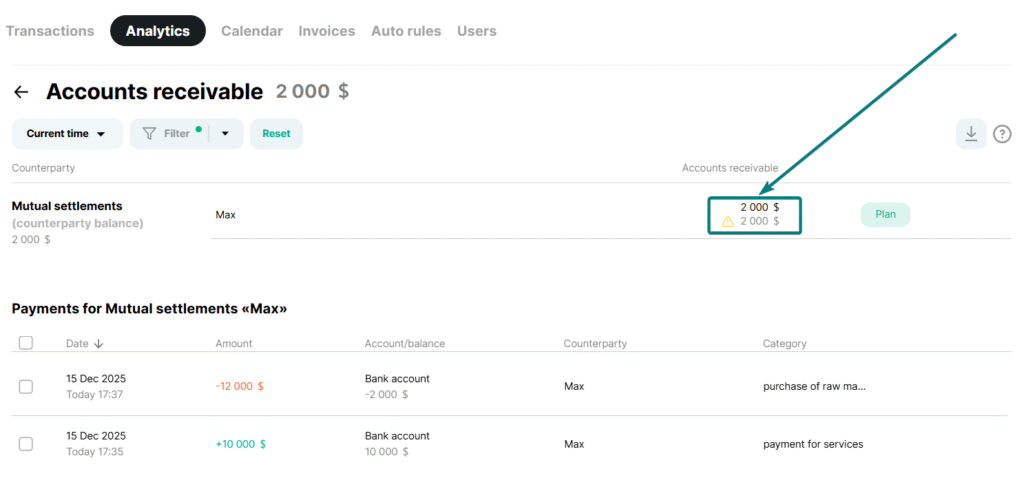
❕Please note that when calculating the amount of mutual settlements, payments with an actual date or a date in the past are taken into account.
It is very important to understand that the name of the counterparty in all income and expense payments that relate to the same counterparty must be identical in order for the mutual settlements functionality to work.
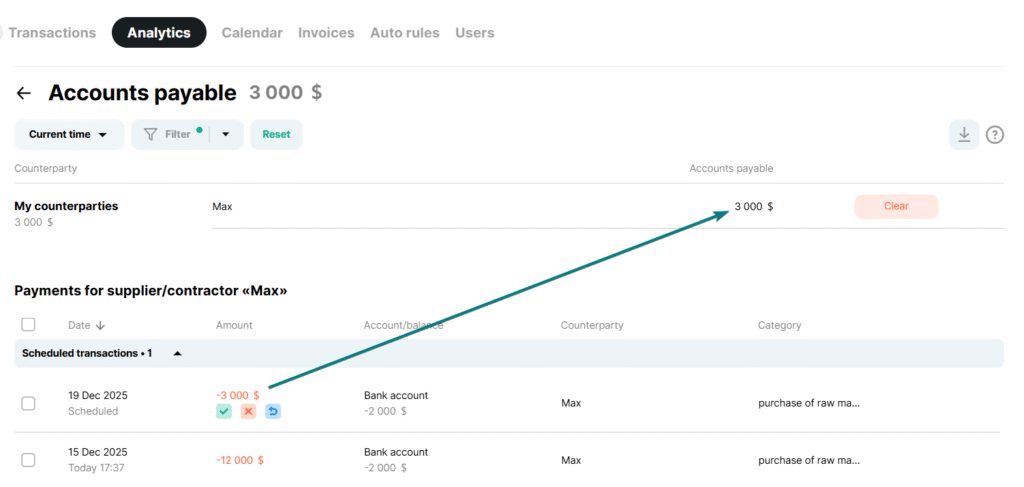
If a future expense payment is scheduled for a specific counterparty, it will be displayed in the Creditor report.
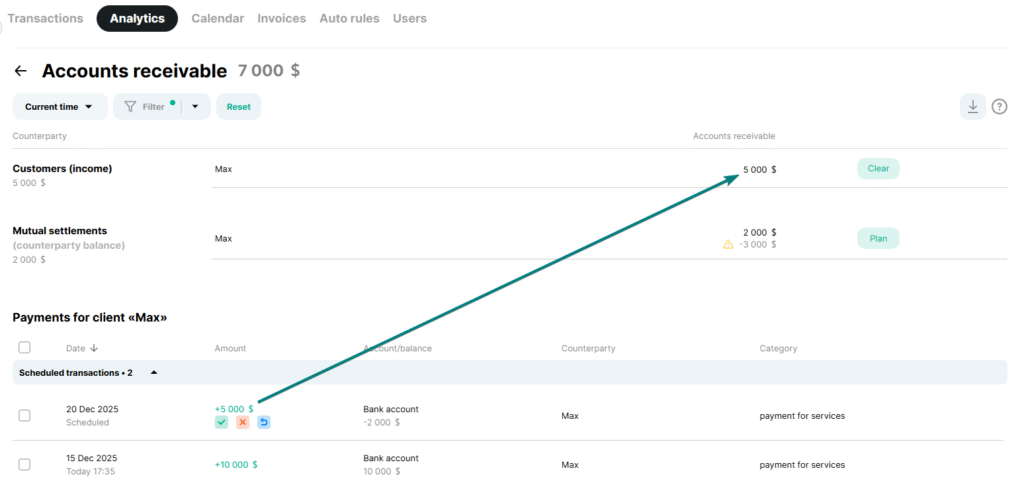
When you create a future revenue payment, you will see a record of it in the Accounts Receivable report. Opposite the counterparty in the Settlements section, you will see the difference between the planned revenue and what the counterparty already owes you.
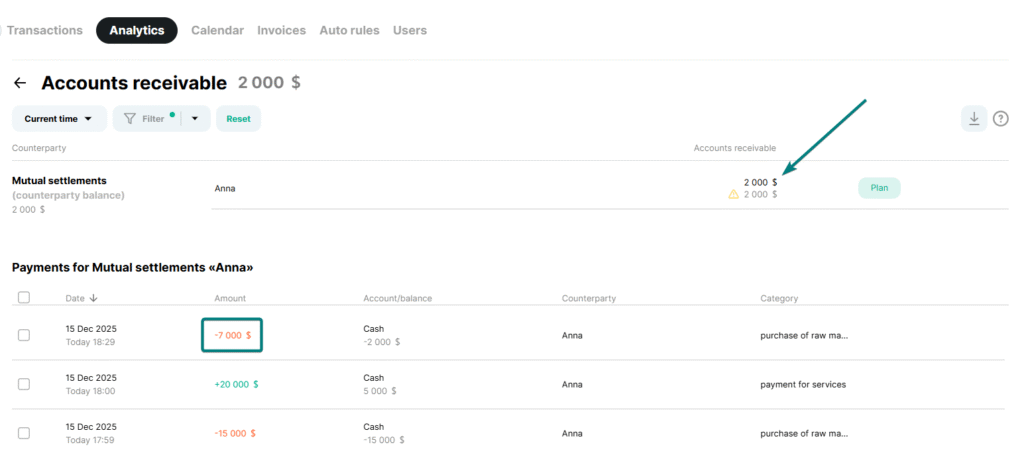
🔹You paid your counterparty $20,000 and they paid you $15,000. The difference of $5,000 will appear on your Creditor’s report.

If a future revenue payment is scheduled for a specific counterparty, it will be displayed in the Accounts Receivable report.
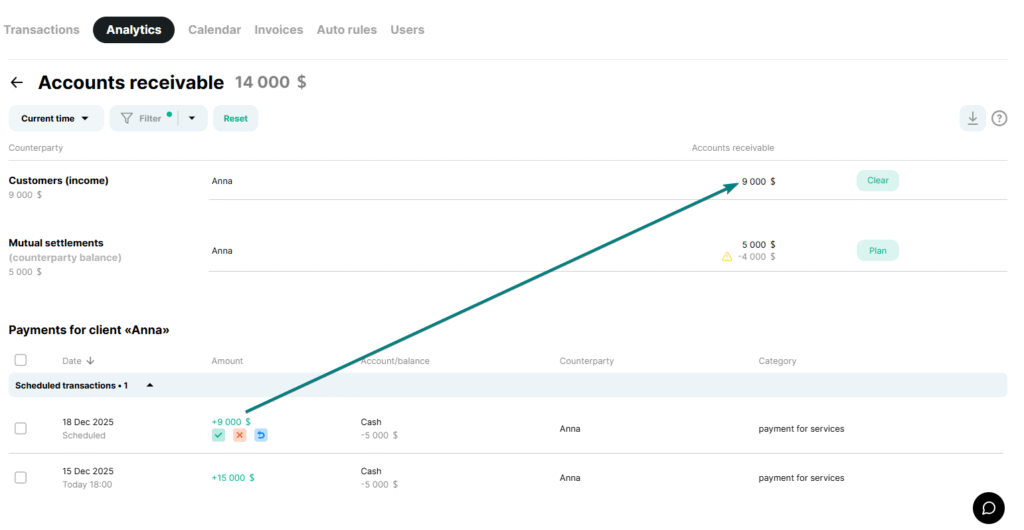
When you create a future expense payment, you will see a record of it in the Creditor report. Opposite the counterparty in the Settlements section, you will see the difference between the planned expense and what you already owe the counterparty.

✅ How are receivables and payables settled if there are mutual settlements?
🔹Repayment of receivables
When you see an account receivable in the Accounts Receivable section, you can pay it off by clicking the Schedule button and selecting the amount that will be suggested in the report. In our example, it is $5,000.
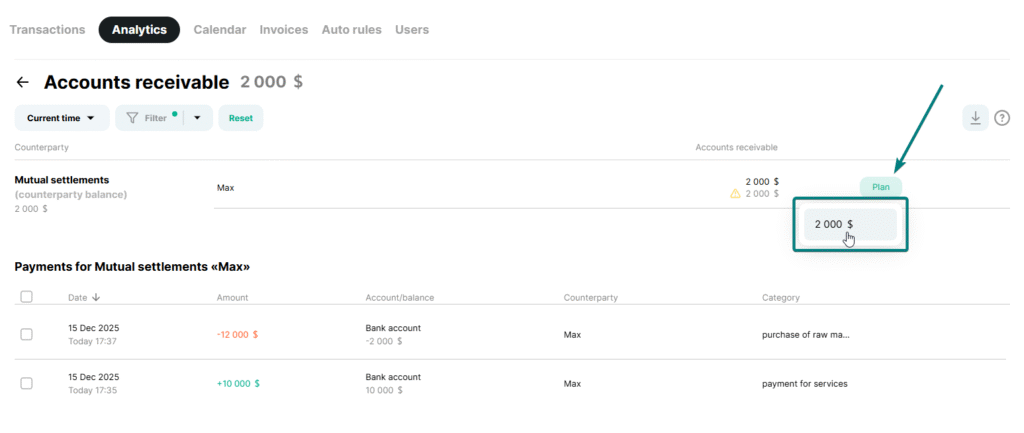
Upon full repayment ($2,000), information about settlements with the counterparty will be removed from the Accounts Receivable report.
With a partial repayment of, for example, $500, the amount of accounts receivable under mutual settlements will decrease and equal $1,500.

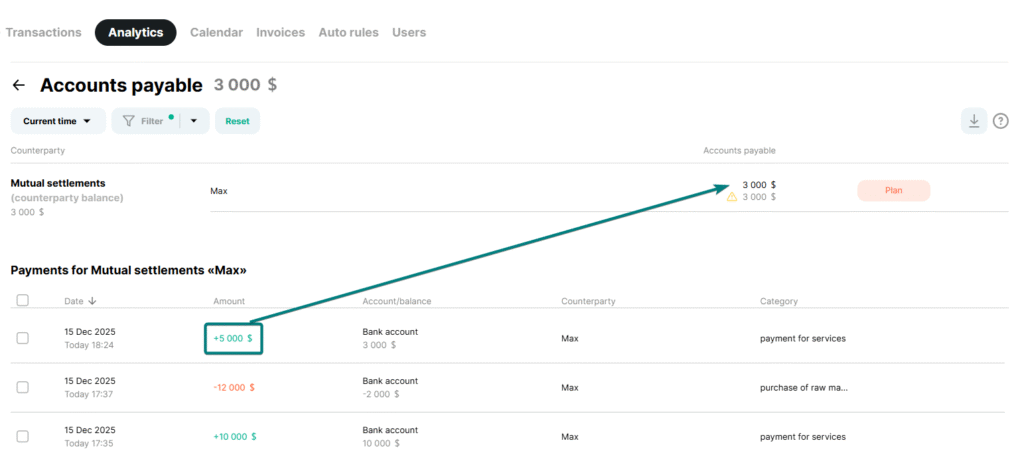
If the counterparty pays you more than $2,000, for example, $5,000, the settlement information will be transferred to the Creditor report. The payables in this case will be $3,000.
🔹Repayment of accounts payable
When you see an account payable in the Settlements section, you can pay it off by clicking the Schedule button and selecting the appropriate amount. In this example, it is $5,000.

Upon full repayment ($5,000), information about settlements with the counterparty will be removed from the Creditor’s report.
With a partial repayment of, for example, $3,000, the amount of accounts payable under mutual settlements will decrease to $2,000.
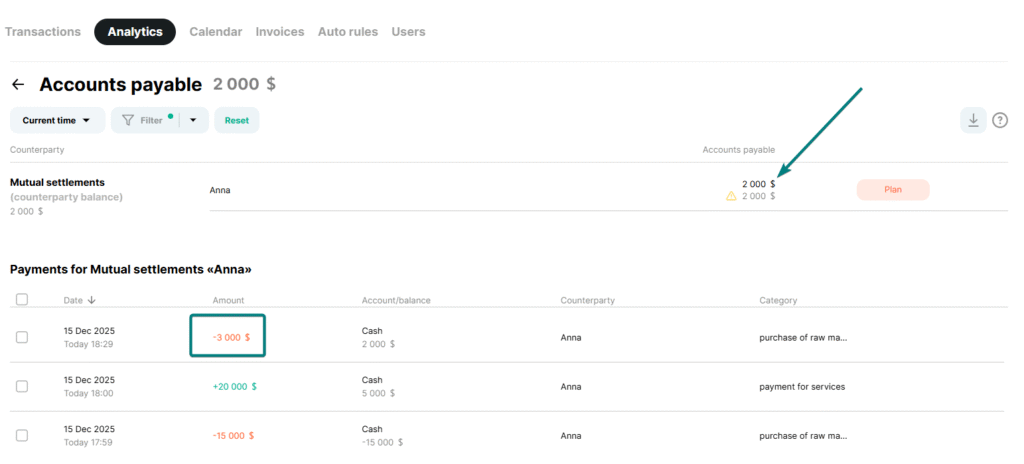
If you pay a counterparty more than $5,000, for example, $7,000, the settlement information will be transferred to the Accounts Receivable report. The receivable in this case will be $2,000.