ㅤ
Finmap integration with WayForPay allows you to automate the transfer of financial transactions to the service so that all cash flows are displayed in one place without the need to manually add payments. This will help you always have up-to-date information about the flow of funds and save time on data entry.
ㅤ
How to enable integration
- Create an account at Finmap
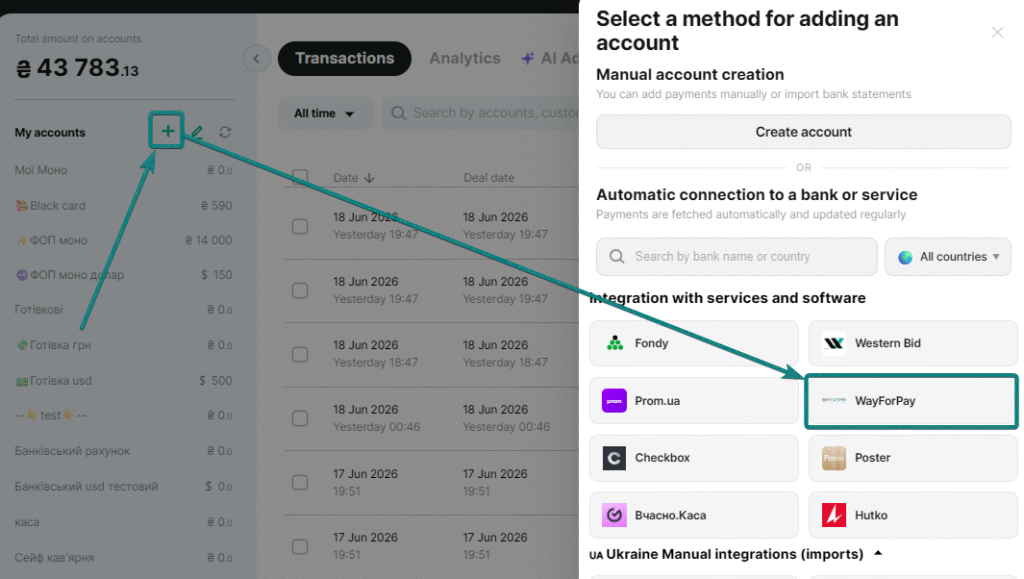
– In the accounts sidebar, click the “+” button.
– From the list of available integrations, select WayForPay.
ㅤ
2. Set up your account
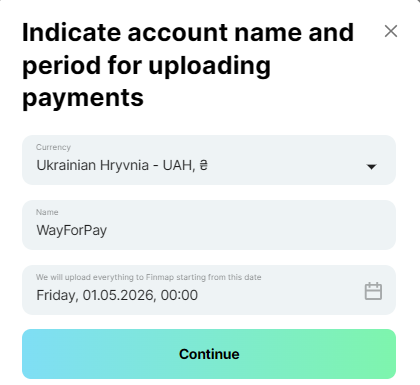
In the window that opens:
– Choose your account currency.
– Specify the account name under which it will be displayed in Finmap.
– Select the date from which you want to enable the integration.
ㅤ
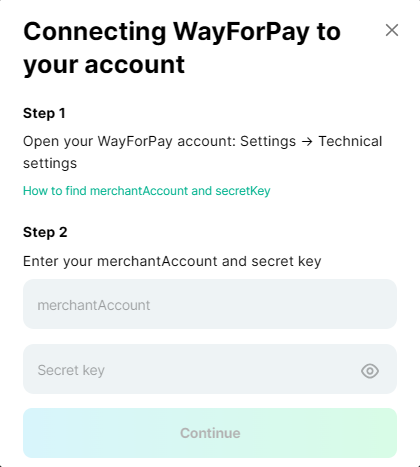
3. Get connection details
On the WayForPay side, you need to obtain:
- Merchant Account
- Secret key
ㅤ
Where can I get the necessary data on the WayForPay side?
ㅤ
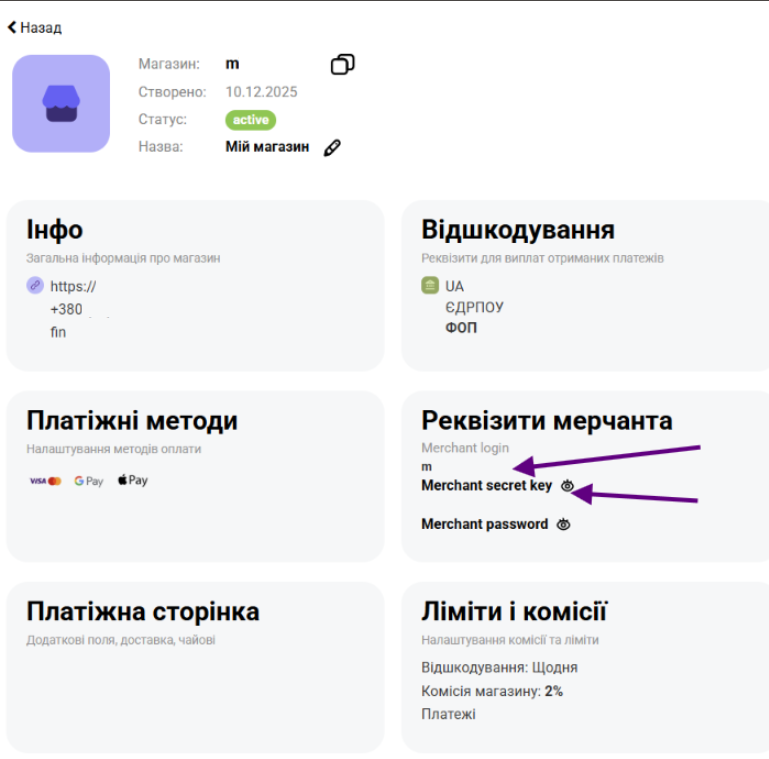
- Go to the “Store Settings” section.
- Open the desired store.
- Find the necessary data:
- Merchant Login = Merchant Account
- Secret Key
How to find merchantAccount and secretKey
ㅤ
📌After receiving this data, return to Finmap, enter it in the appropriate fields and save the settings. After that, the integration will be successfully connected and WayForPay transactions will be automatically transferred to your company.
ㅤ