ㅤ
If you have just learned about our service, we are happy to welcome you! 🤝
Finmap helps entrepreneurs and teams keep management accounting simply, clearly and without unnecessary hassle.
To get you started quickly, we’ve put together a quick step-by-step guide on how to register and create your first company. It’s as simple as possible — even if you’ve never worked with financial services before.
ㅤ
📝Registration in the service
ㅤ
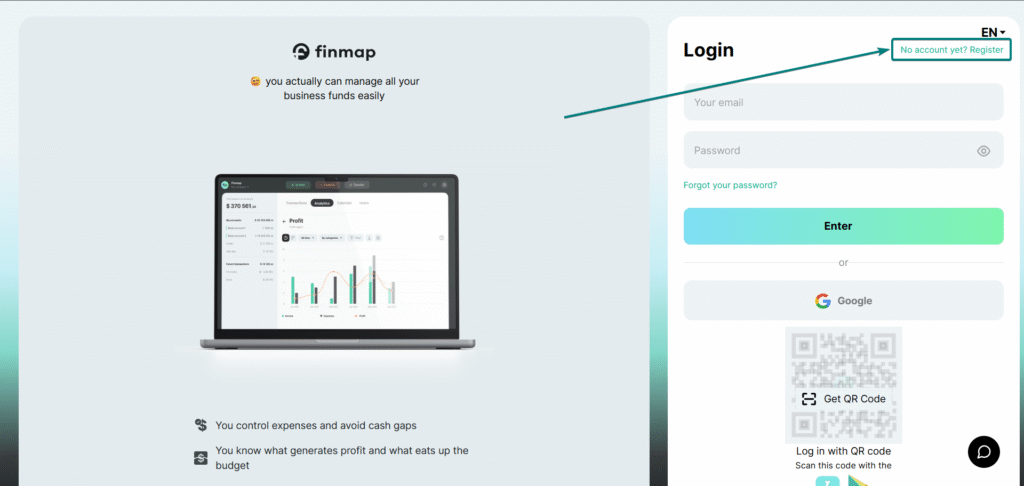
First of all, you should go to the registration page, to do this, on the login page, click “Don’t have an account? Register”
ㅤ
ㅤ
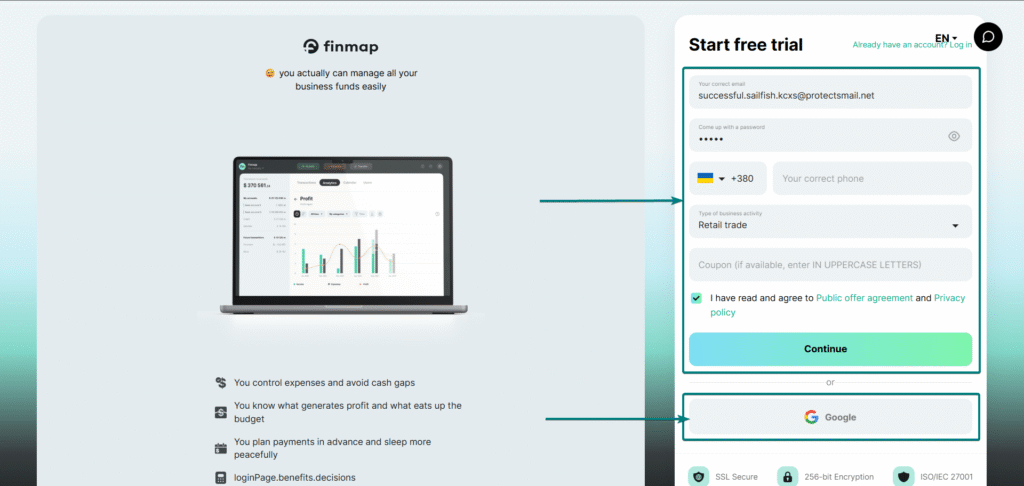
On this page you can register in two ways:
- Enter your email, password, and phone number (if you have a promotional code). With this registration option, you will need to confirm your email using a code that will be sent to your email.
- Registration using Google. With this registration option, your logged-in account will be pulled up in your browser.
ㅤ
ㅤ
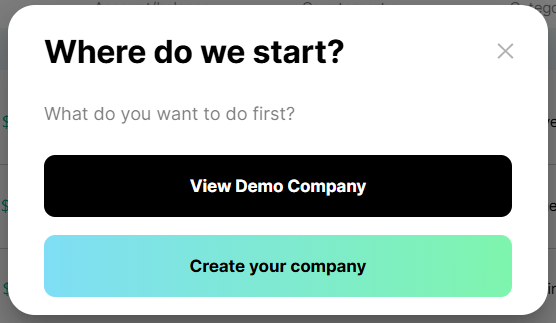
Upon completion of registration, the service will display hints on the functionality.
You will also have the opportunity to view the service in the Demo Company.
ㅤ
ㅤ
🗝️Creating the first company
ㅤ
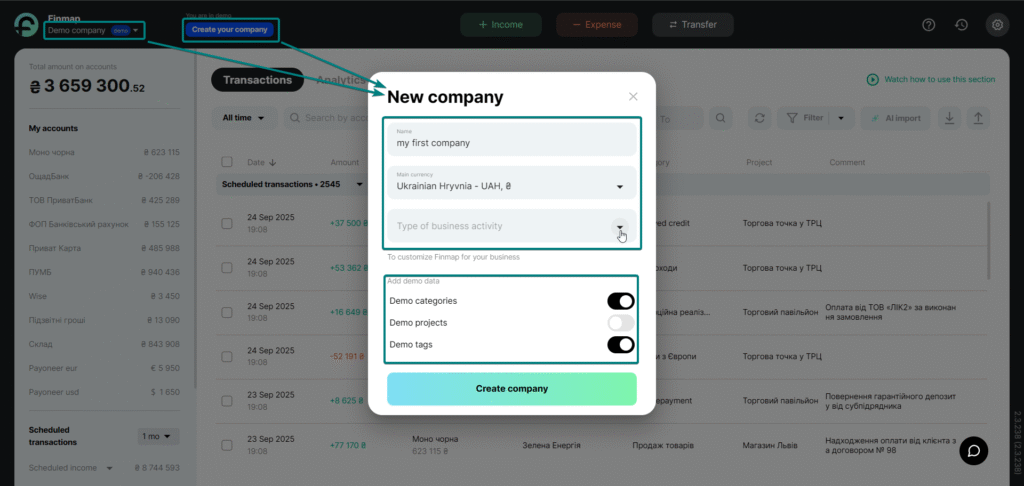
In the service, you can view the companies available to you or create a new one by clicking “Create your company”. When creating, you must specify the company name, main currency and field of activity.
You can also enable adding entities from the Demo company to your own. It is important that the entity data is not fixed or mandatory for use. After creating a company, you can change them and add your own.
*If necessary, demo entities can be cleared in the company settings by clicking the corresponding button on the sidebar.
ㅤ
ㅤ
Done! You have created your company.
Now you can add accounts, entities (projects, categories, contractors, etc.), integrations with banks, etc.
ㅤ
ㅤ
📌 Useful tips
- Free period: the first 7 days are free, without linking a card.
- Support: there is a chat in the lower right corner – you can contact support.
- Information: convenient instructions for getting to know the service.
ㅤ
ㅤㅤ
🔐 Security of your data
Finmap uses modern security technologies to keep your finances safe:
- SSL Secure — the connection between you and the service is secure, like in banks.
- 256-bit Encryption — all data is encrypted with a reliable algorithm that cannot be cracked.
- ISO/IEC 27001 is an international security standard that Finmap complies with.
ㅤ
ㅤ
Register with Finmap and get control of your finances from day one!
So take the first step towards financial order — try Finmap for free💙
ㅤ