


Contents
How to combine a planned transaction and a synchronized transaction from the bank in Finmap
Sometimes a situation arises when we have created a planned transaction, and the payment is credited to the card integrated into the account. As a result, we have 2 transactions: a manually scheduled one and an actual integrated transaction Finmap has a simple solution in the form of a function r
Finmap has a simple solution in the form of a function recognizing and combining actual and planned transactions.
Next to the actual and planned transaction, the service will show an "and" to combine these two payments:
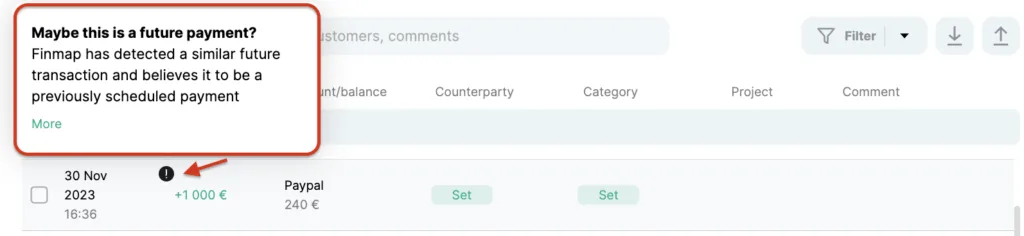
Click "More details" to see all payments that are eligible for merging and select the right one by checking the box and clicking Repay:
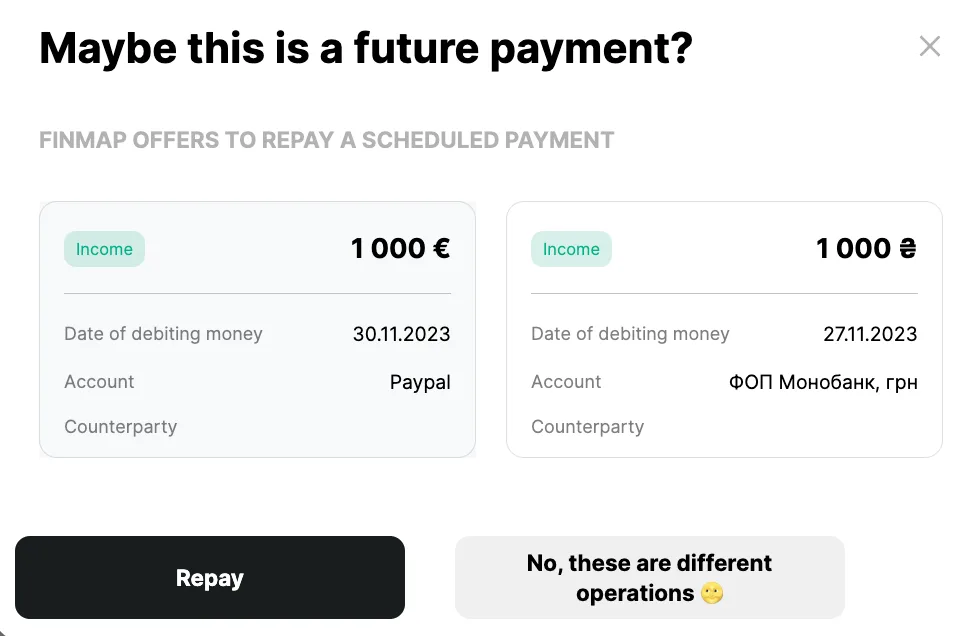
After these actions, the transaction will be combined into one actual transaction ✅
Conditions under which Finmap believes that an actual transaction is consistent with a planned transaction
- The difference between the amounts of the two transactions is less than or equal to 2.5%
- The difference between the dates of two transactions is less than or equal to 7 days
- Identical accounts specified in transactions
- The data in the planned transaction was not edited after the actual transaction was received
Another way to combine
You can also combine actual and planned payments yourself by selecting the desired transactions through bulk selection.
- We open the display of planned payments;
- We use the flags to select the actual and planned operations;
- Click "Pay off planned payment";
- We confirm the action.
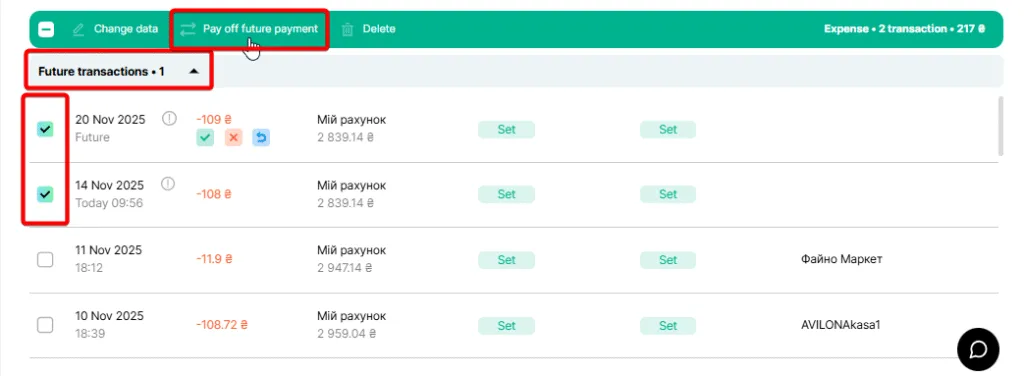
If there is a counterparty in the planned transaction, the debit and credit will be automatically settled.
For more information on the formation of accounts receivable and accounts payable, please visit the link: