


Contents
NovaPay and Finmap integration
Integrating your sole proprietor (FOP) account from NovaPay with Finmap automatically imports all your transactions from the payment service, so you see the full financial picture without manual entry. It saves time…
How to connect the integration
- To connect the integration, click "Add integration" in the accounts side panel and select the bank "NovaPay".
- In the window that opens, specify the account you want to connect the integration to, or create a new one. Also specify the date from which data should be imported.
- The connection is made using a token, which you need to create in your bank account.
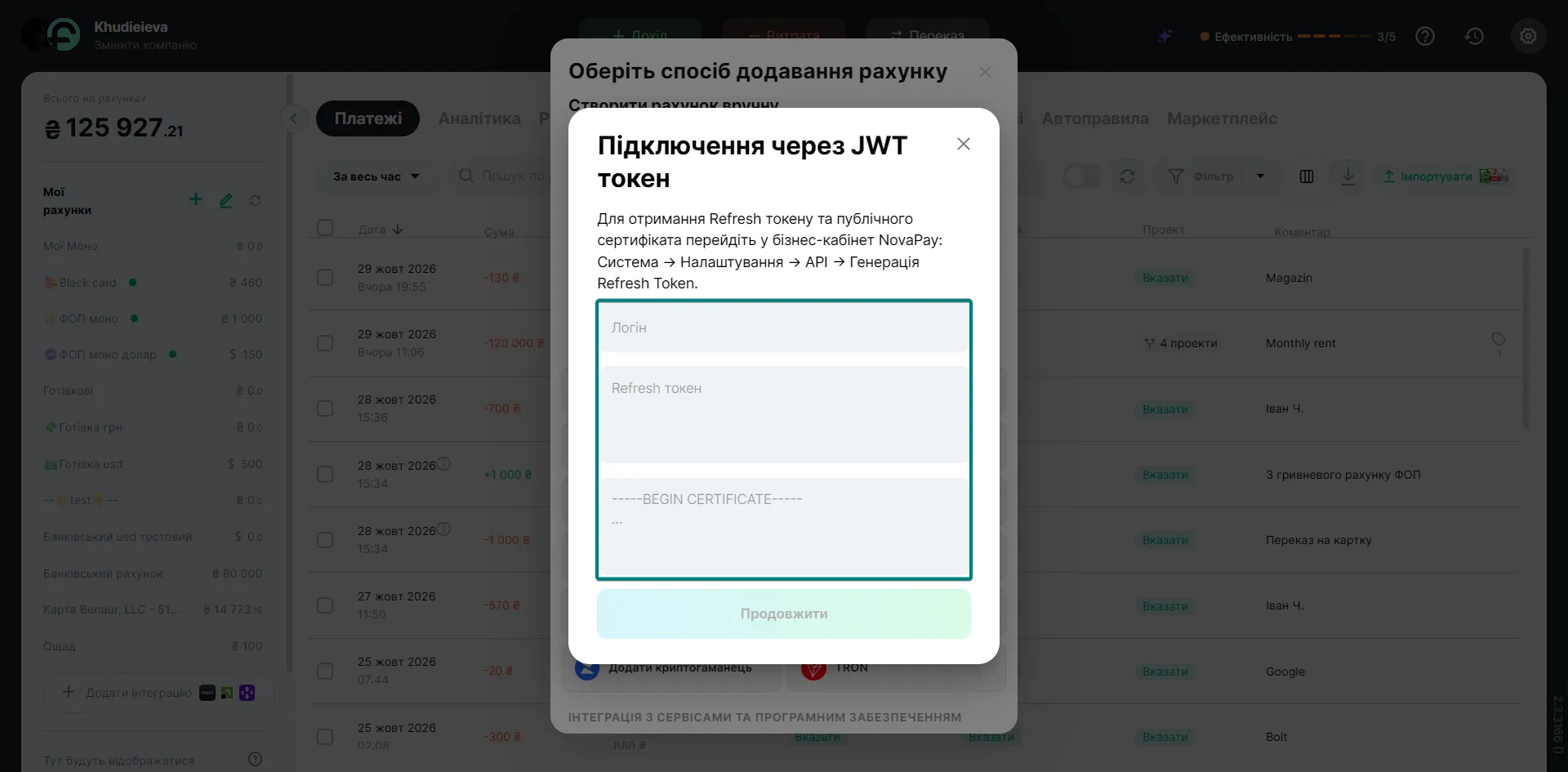
Getting the connection data from your bank account
1. Log in to your bank account
2. Go to system settings → API and activate it.
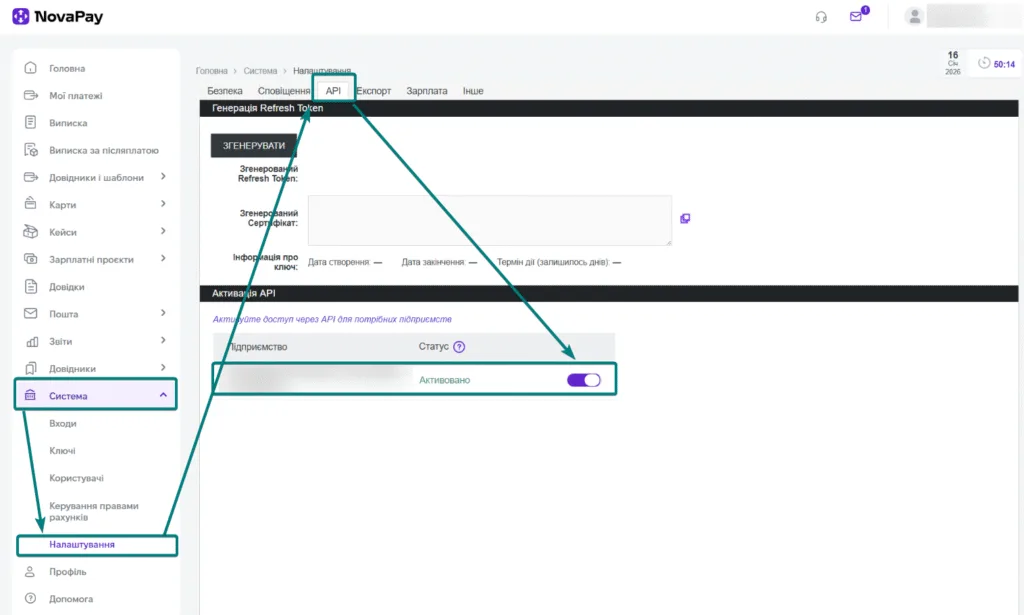
3. Next, copy the login for the integration. To do this, go to Profile → User and find the login.
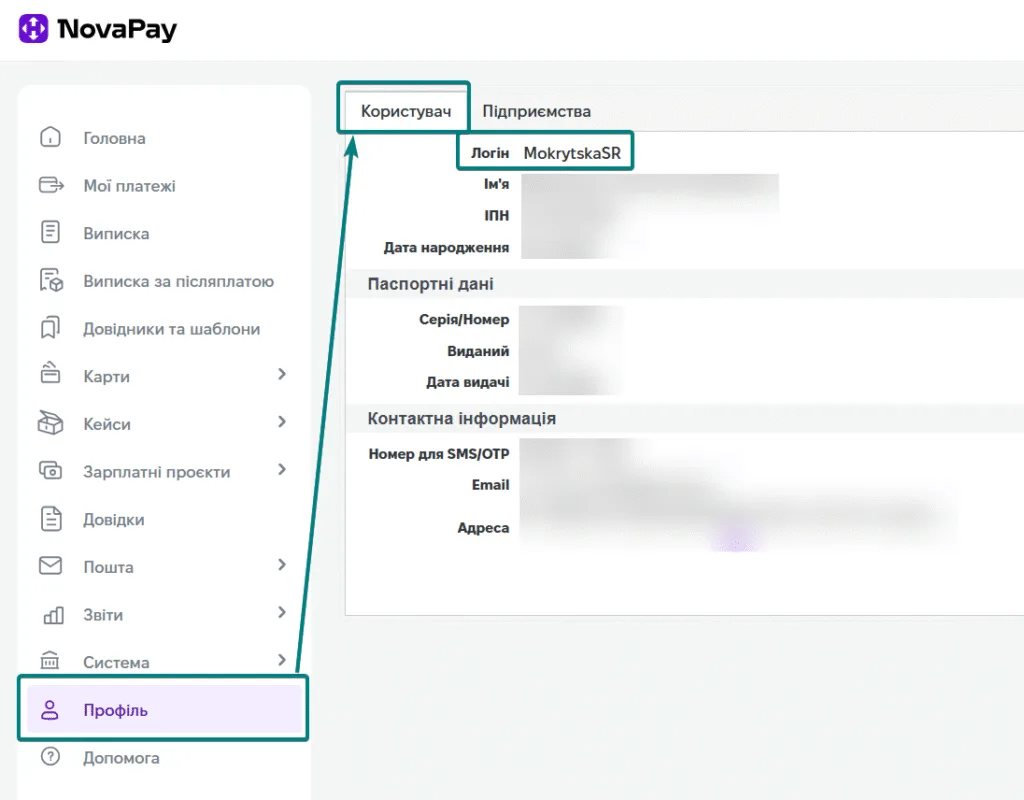
4. Create a token for the connection
System → Settings → API → Generate (do not close the window that opens)
Copy the integration connection data, namely:
- refresh token
- begin certificate
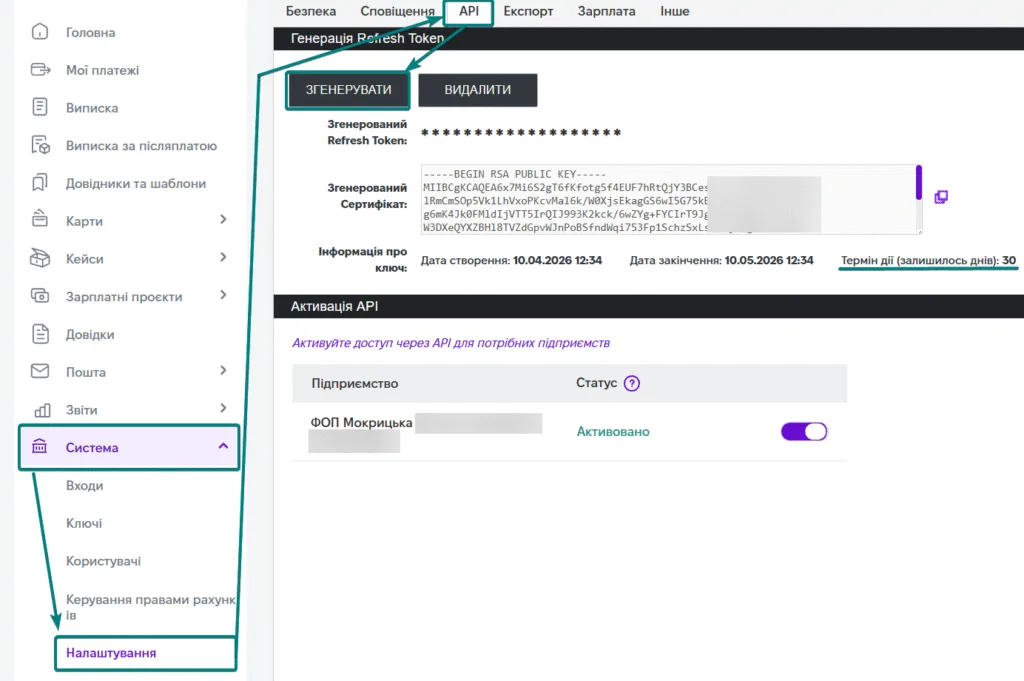
All that's left is to enter this data in Finmap, and all your NovaPay transactions will be imported automatically.
Please note: a separate token is created for each LLC (TOV) or sole proprietor (FOP) to connect the integration.
Frequently asked questions
NovaPay says the data is invalid when connecting. What should I do?
1. The data was copied from a messenger, not from your personal account. Because of this, the last character of the certificate is automatically changed to a long dash (em dash), and Finmap does not accept the data. To fix it:
Go to the end of the certificate in the Finmap field.
Delete the long dash.
Replace it with two short hyphens.
2. The token is not new. The connection requires a freshly created token. Generate a new token in your NovaPay account and enter it in Finmap right away; do not use an old or already used token.
How long is the token valid and when do I need to generate a new one?
The access token is valid for up to 2 hours, so complete the connection within that time. The refresh token is valid for 30 days from creation and is renewed every time the integration contacts NovaPay. If this happens at least once every 30 days, the token keeps working without your involvement. You only need to generate a new one for the first connection or if more than 30 days have passed without any requests.
I connected one NovaPay account. How do I connect another one?
If your NovaPay account has several bank accounts and only one is connected, connect the next one as follows:
In Finmap, click "Add integration" and select NovaPay.
Follow the connection steps: enter the account name and the date from which to import transactions.
A window will then show the company's already connected tokens. Each one shows the first and last name of the NovaPay account owner, with a "Connect account" button below it.
Click "Connect account" under the required account and complete the connection.
*When connecting accounts of another person, click "Create new token"
Can I connect several sole proprietors (FOP) or LLCs (TOV)?
Yes. You can connect several NovaPay accounts to one company in Finmap. Each LLC or sole proprietor needs a separate token. To add accounts of another owner, click "Create new token" in the window with connected tokens during connection. Then use the new token from the bank account to connect the accounts of that specific sole proprietor or LLC.
To try all the features of Finmap, sign up via the link and get free access: