


Contents
Clear cache: Google, Safari
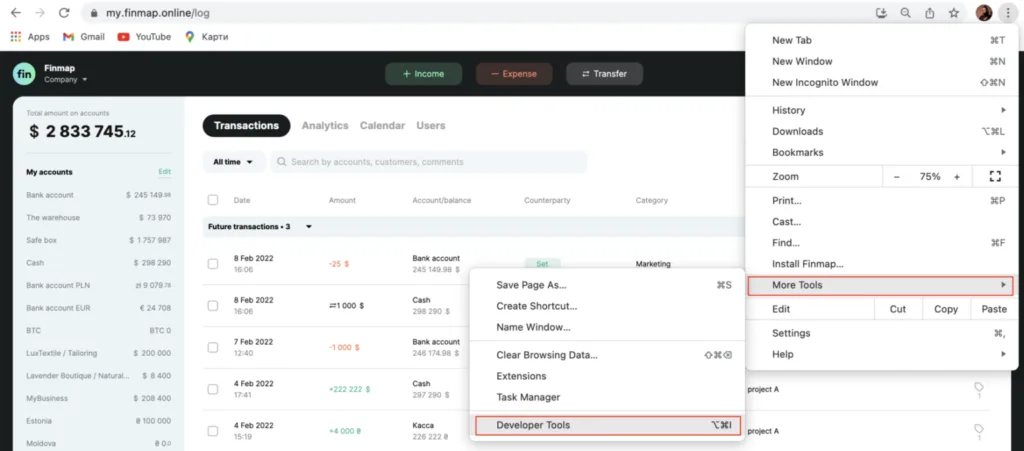
In order to clear the cache in Google browser, you need: 1. Go to Settings, select the menu More Tools - Developer Tools
In order to clear the cache in Google browser, you need:
1. Go to Settings, select the menu More Tools - Developer Tools
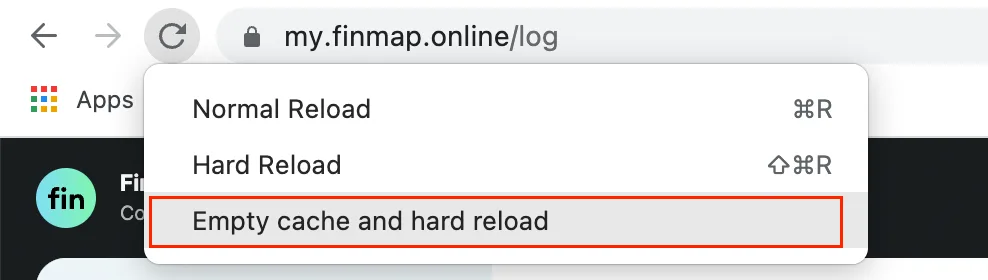
2. Then right-click on the reload button and select Empty cache and hard reload
Safari
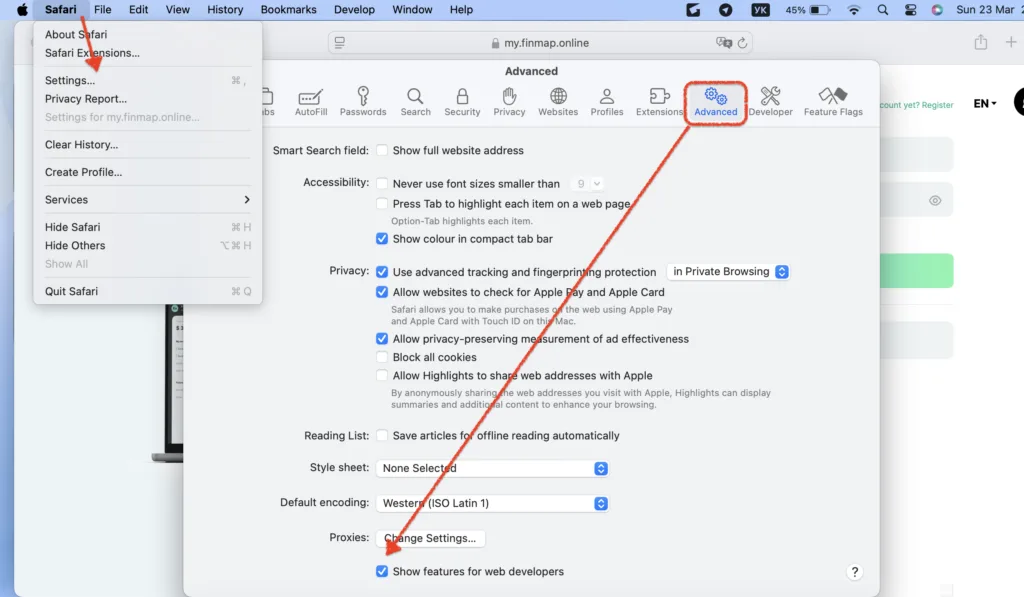
To clear the cache in Safari on Mac, go to the Safari browser, select Safari from the top menu and click Preferences
Then in the settings:
1. Go to Advanced.
2. Check the Show Develop menu in menu bar
Now we can go to the Develop menu and empty cache
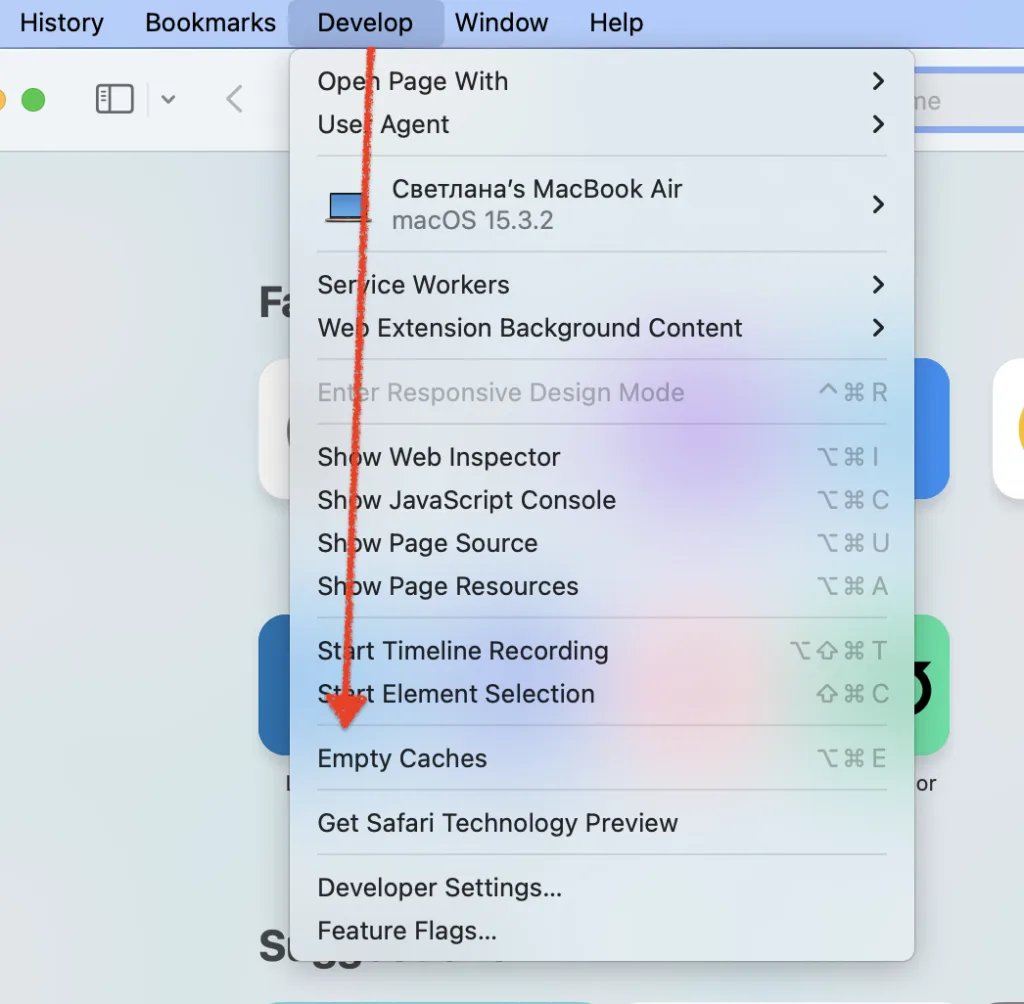
Done! Now all you have to do is refresh the page to see the changes on the page.