ㅤ
Integration with Dubidoc (Checkbox’s electronic document management service) allows you to sign invoices created in Finmap directly through Dubidoc – without manually uploading and downloading PDFs.
You create an invoice in Finmap, click one button – and the document immediately appears in your Dubidoc account, ready for signing. Less routine, fewer unnecessary steps.
ㅤ
What does integration provide?
ㅤ
- An invoice from Finmap can be sent for signature in Dubidoc in a couple of clicks – no need to save the PDF and manually upload it to another service.
- You can connect as many Dubidoc organizations as you need to one company in Finmap and choose the one you need right during signing.
ㅤ
What is needed to connect?
ㅤ
- Active Premium tariff in Dubidoc. On the free tariff, the API does not work, so integration will not be available.
- API key (X-Access-Token) is a long key from the Dubidoc account.
- Organization ID is an identifier that is located on the same page where you create the key.
ㅤ
📌 The token’s validity period is determined by Dubidoc. Finmap cannot change or extend it – if the token becomes invalid, it must be reissued in the Dubidoc account.
ㅤ
How to enable integration?
ㅤ
Step 1. Get data in your Dubidoc account
ㅤ
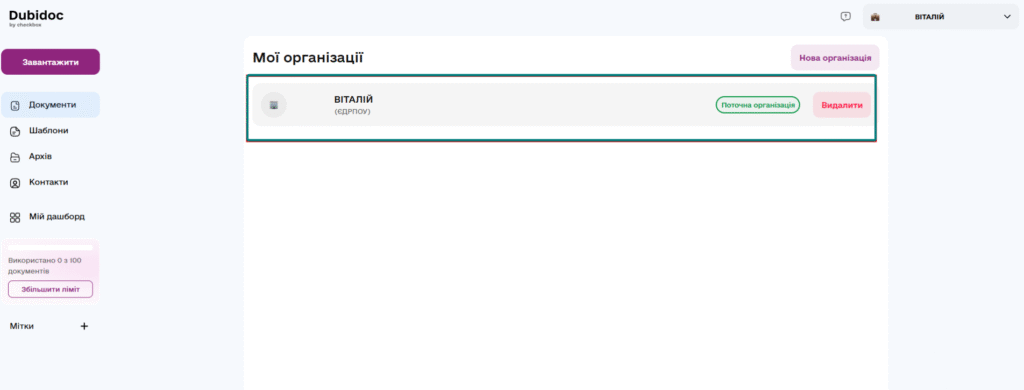
Log in to your Dubidoc account and go to the My organizations section, and select the required one
ㅤ
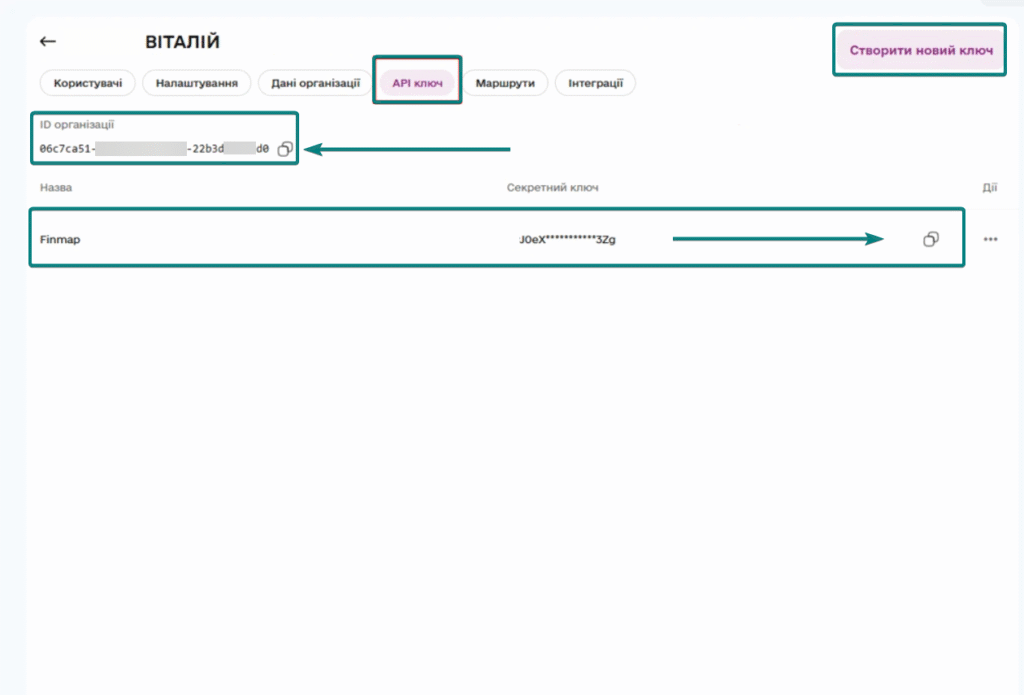
Go to the “API Key” tab and click “Create New Key”.
Now copy the API Key and Organization ID to connect the integration.
ㅤ
ㅤ
Step 2. Connect Dubidoc to Finmap
ㅤ
Connection is made once.
Open the necessary invoice in Finmap.
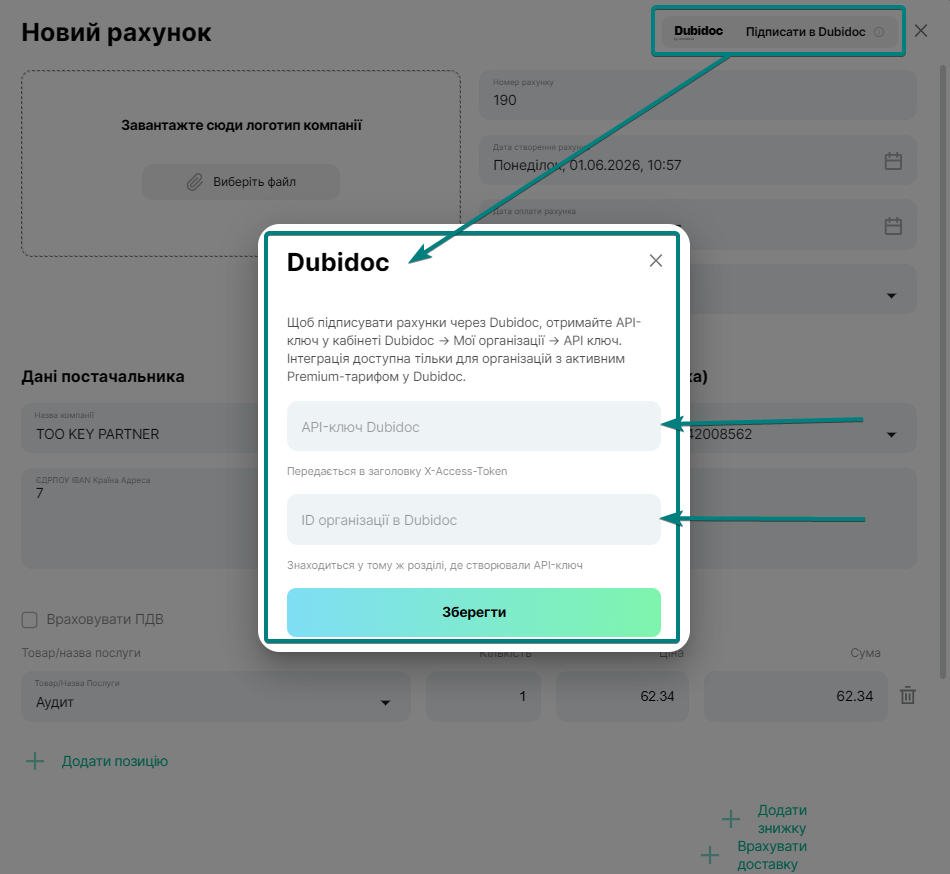
In the window cap on the right, click the “Sign in Dubidoc” button
ᅠ
Enter the data received on the Dubidoc side in the corresponding windows
ㅤ
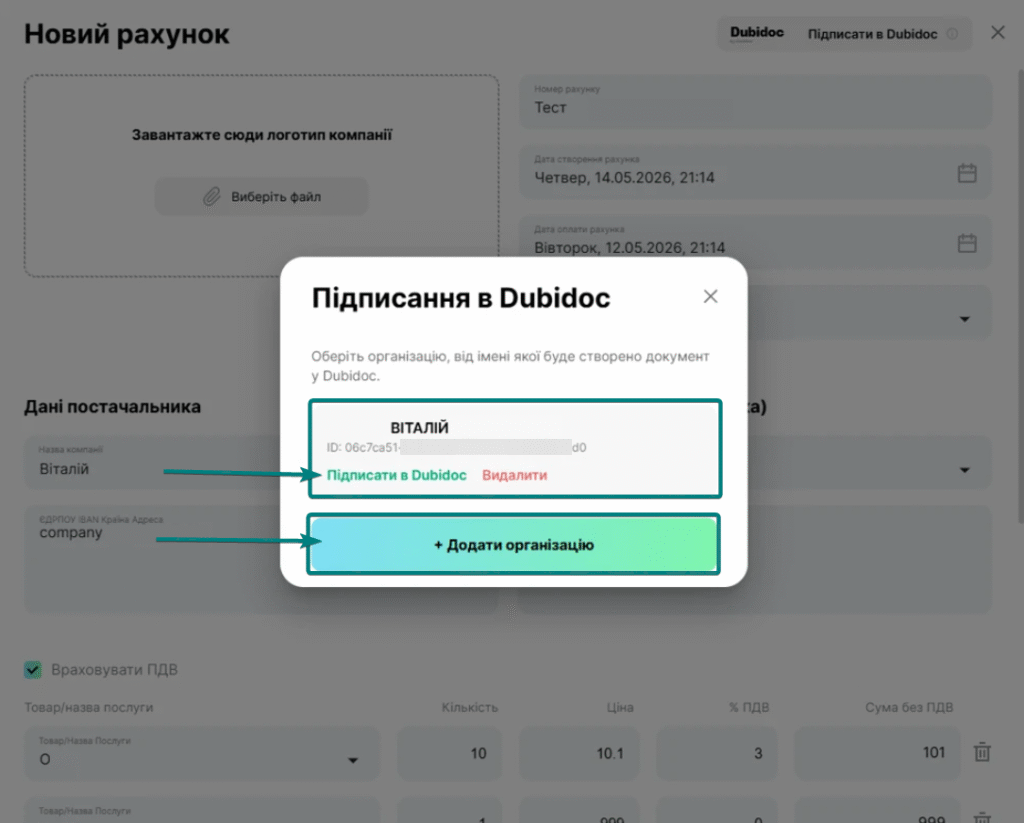
If you have multiple organizations in Dubidoc, each has its own API key. Add them one by one using the “+ Add Organization” button – they will all be available during signing.
ㅤ
✨Now the integration is connected, and when signing invoices, Finmap will generate a PDF, upload it to Dubidoc and open a new tab with the document
ㅤ
Frequently asked questions
ㅤ
I clicked “Sign” twice – there are two identical documents in Dubidoc
If you click “Sign in Dubidoc” twice for the same account, two separate documents will be created in Dubidoc. Finmap does not track that the document has already been uploaded, so the duplicate must be deleted manually in the Dubidoc office.
Does Finmap store the signed document?
No. You sign the document yourself in Dubidoc — Finmap does not sign documents for you, does not receive back the signature status, and does not save the signed file. The finished document is stored in your Dubidoc account.
Unable to connect or an error occurs
If the integration does not connect or an error occurs, please check whether you have an active premium tariff in Dubidoc, as well as the correctness of the API key and organization ID.
If the document is not transferred to Dubidoc, the reason may be that the document limit for the tariff has been exhausted or there is a temporary error on the Dubidoc side. In this case, we recommend trying to repeat the action a little later.
ㅤ