


How can I approve payments within the company online in Finmap?
If you have a need to approve a payment between company employees online , then in Finmap you can do this using tags to transactions
The company owner can create tags and set access settings for each employee individually.
1. To create a new tag, go to Settings - Company settings - Tags
In the window that opens, add new tags for approval, for example, "Payment request", "Approved by manager", "Checked"
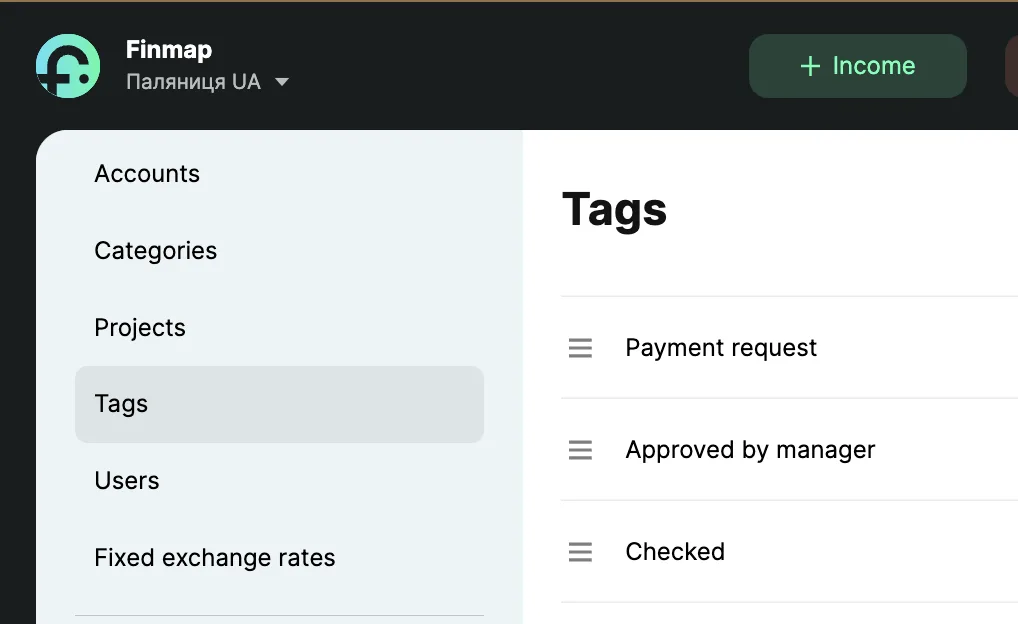
2. Next, you need to configure employee access to this tag
To do this, go to the Users section and click on the description of the position rights
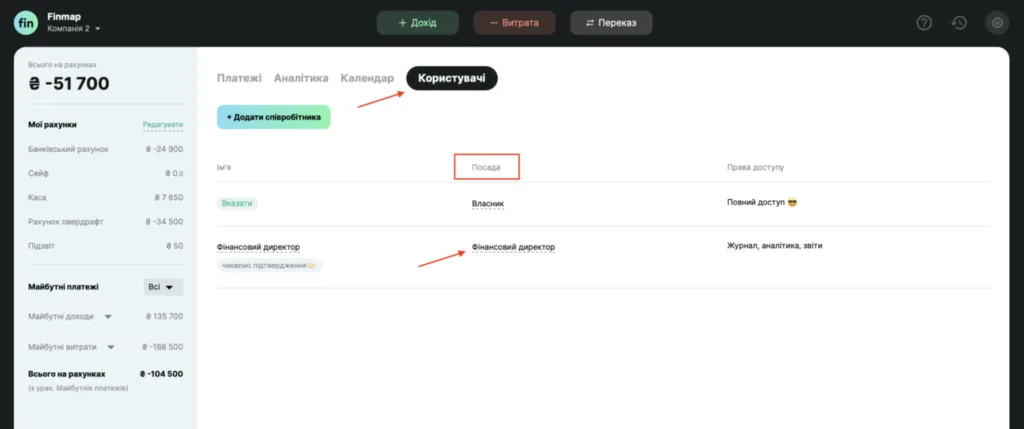
In the rights settings, in the Tags item, enable those items that are necessary for each individual employee (access to View, Edit, or Delete)
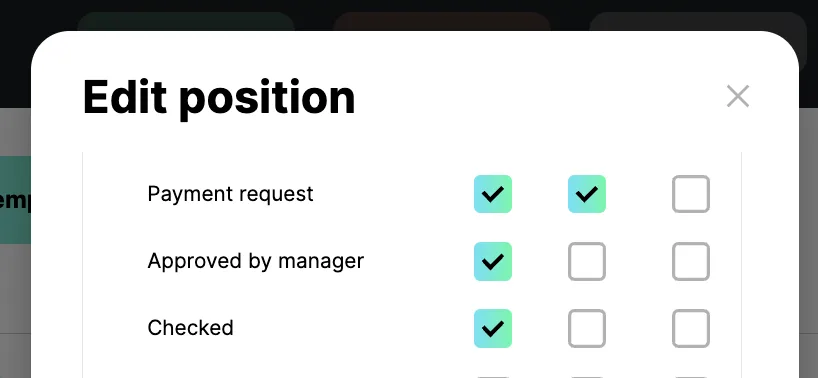
Then the transaction goes through all the necessary stages of approval between employees, which you can track by the number of tags.
The procedure may be as follows:
1. The employee creates a planned payment with the tag "Payment request".
2. The manager can filter and view all payments with the "Payment Request" tag and set the "Approved" tag.
3. The employee filters and reviews all planned payments with the "Approved" tag and pays.