


Contents
How to connect Finmap to Claude
Connect Finmap to Claude via MCP and ask questions about your company's finances in plain language.
MCP (Model Context Protocol) is an open protocol that lets AI assistants work with data from external services. Once connected, Claude gets access to your company in Finmap: accounts, transactions, invoices, counterparties, categories and projects. You ask questions in plain language and get answers based on up-to-date data — no exports or manual reconciliation.
What you need before connecting
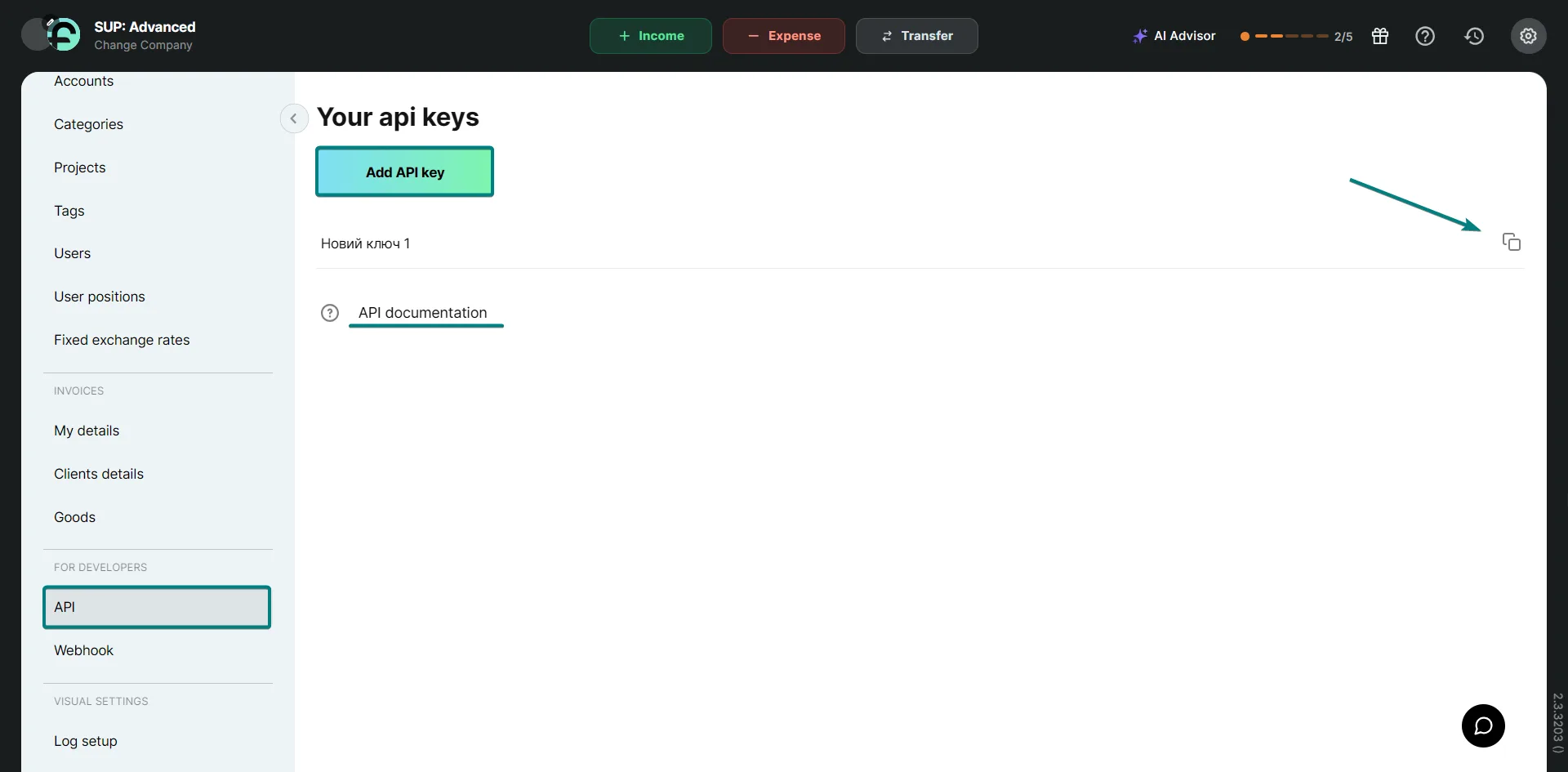
- A Finmap API key. Copy it in Settings → For developers → API. If you don't have a key yet, click “Add API key”.
- A Claude account. Custom connectors are available on all Claude plans (one connector on the Free plan). On Team and Enterprise, an organization owner adds the connector, and then each member connects it for themselves.
How to connect Finmap to Claude
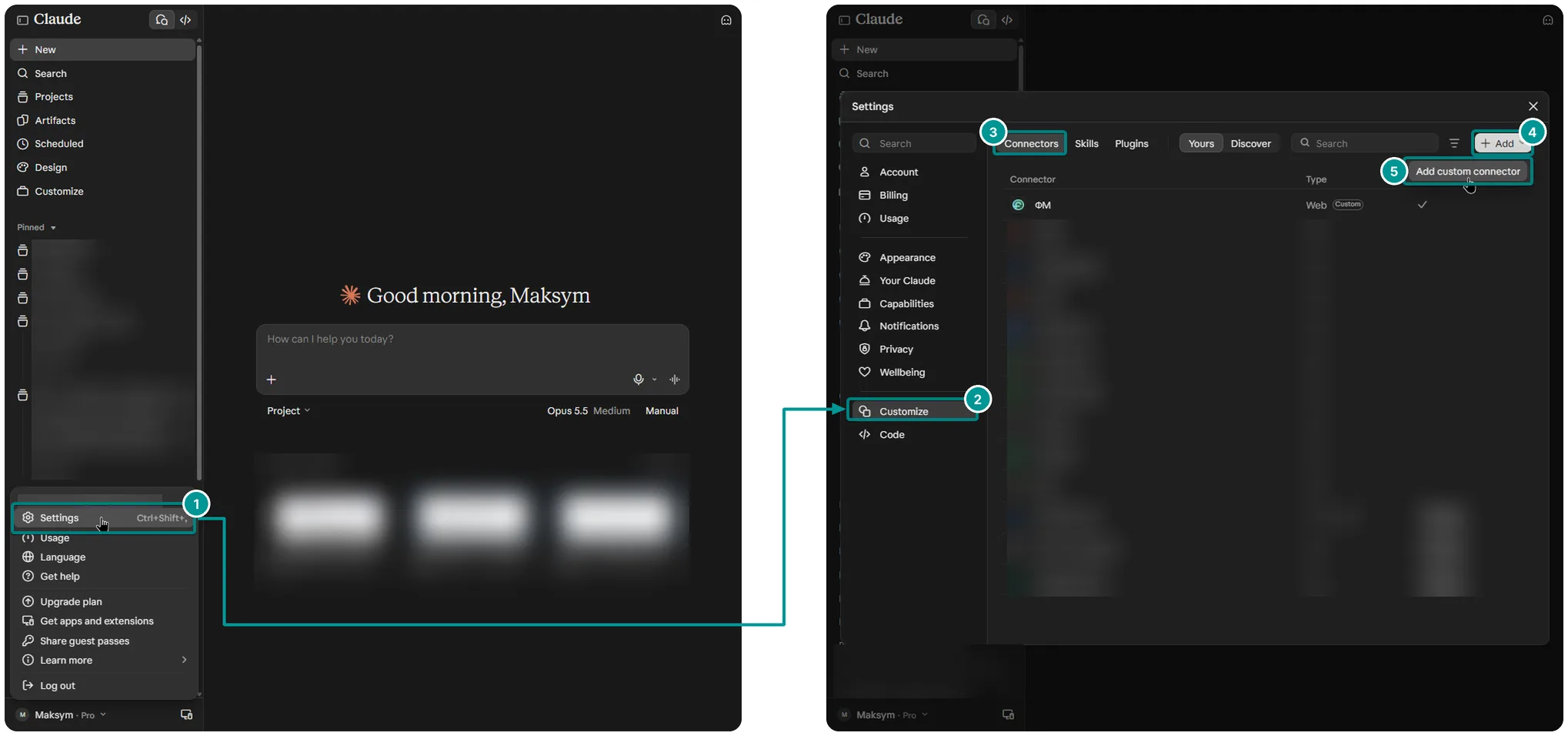
- In Claude, open the profile menu in the bottom left and go to Settings → Customize → Connectors.
- Click “+ Add”, then “Add custom connector”.
- Enter Finmap as the name and https://api.finmap.online/mcp as the server URL, then click “Connect”. Leave the advanced fields empty.
- When the Finmap page opens, enter your API key.
- In a new chat, click “+” → “Connectors” and make sure Finmap is turned on.
What you can ask
For example: “Show balances on all accounts”, “How much did we spend on advertising in September”, “Which invoices are still unpaid”. The access rights, rate limits and plan restrictions of your API key apply in Claude exactly as they do in the regular API.
Good to know
- Data is loaded from Finmap at the moment of the request. If the numbers differ, the ones in Finmap are correct.
- To revoke access, delete the API key in your Finmap settings.
- The connector works with any MCP client that supports Streamable HTTP with OAuth.