


Contents
How to connect MCP Finmap to ChatGPT
Work with your company's finances right in ChatGPT through the Finmap MCP server
MCP (Model Context Protocol) is an open protocol that lets AI assistants work with data from external services. Once connected, ChatGPT gets access to your company in Finmap: accounts, operations, invoices, counterparties, categories and projects. You type a request in plain text and get an answer based on up-to-date data — no exports or manual consolidation.
What to prepare before connecting
A Finmap API key. Copy it in Settings → For developers → API.
A paid ChatGPT plan that supports custom MCP servers. In Business and Enterprise workspaces, an administrator enables this option.
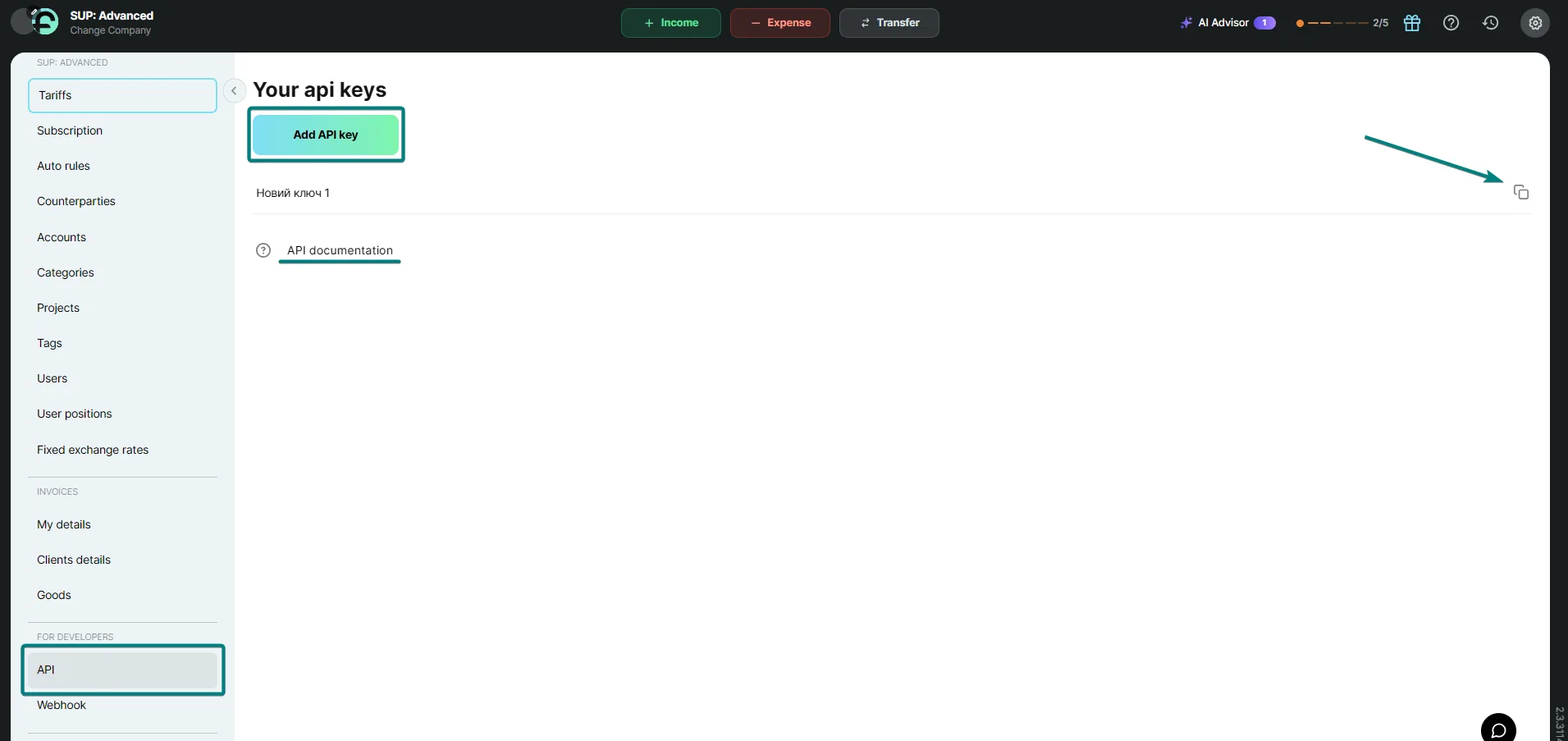
How to connect Finmap to ChatGPT
Open ChatGPT in your browser and go to the “Plugins” section.
Click “+”, then “Add custom MCP server”.

3. Enter the name Finmap, in the “Server URL” field enter https://api.finmap.online/mcp, and choose “OAuth” as the authentication.
4. Confirm the “I understand and want to continue” warning and click “Create as a plugin”.
5. Install the Finmap plugin. When the Finmap page opens, enter your API key.
6. In a new chat, turn on Finmap in the tools menu.
What you can ask
For example: “Show the balances on all accounts”, “How much did we spend on advertising in September”, “Which invoices are still unpaid”. Depending on your ChatGPT plan, you get read-only access or can also create and edit operations. The permissions of your API key and your Finmap plan limits also apply in ChatGPT.
Good to know
Data is loaded from Finmap at the moment of your request. If the numbers differ, the ones in Finmap are correct.
To revoke access, delete the API key in Finmap settings.