


How to make salary entries?
To record expenses and payments on employees' salaries, use the Expense button. In the window that opens, specify the operation Salary, and select the employee to whom you are paying salaries, as well as the period for which this salary is paid. You can fill in the Counterparty field according to th
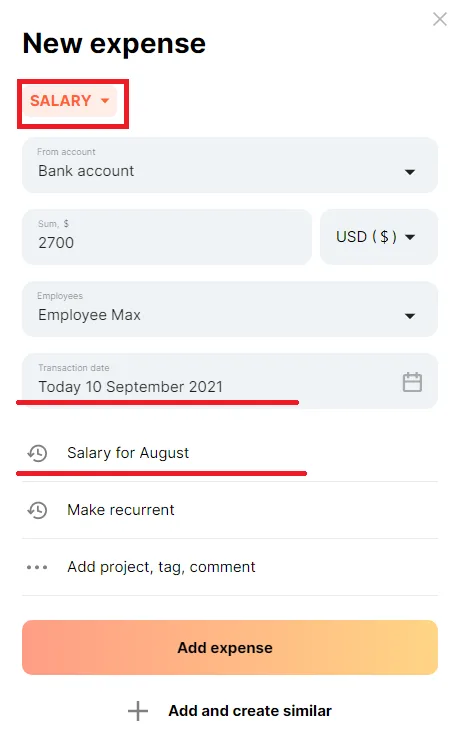
Finmap will assign your cash expenditures to the Money report on the day of the actual salary payment and your salary expenses will appear in the Income report in the period for which the salary was accrued.
You can also schedule salary payments. To do this, simply specify a future date in this window. In this case this planned payment will be reflected in the Calendar, as well as in the Accounts payable report, as you have fixed the debt to employees.