Contents
How to manage several projects/business lines in Finmap at the same time
If you have several business lines, you can display them in Finmap as projects This way you can view reports both for the company as a whole and for individual business lines
Let's take an example
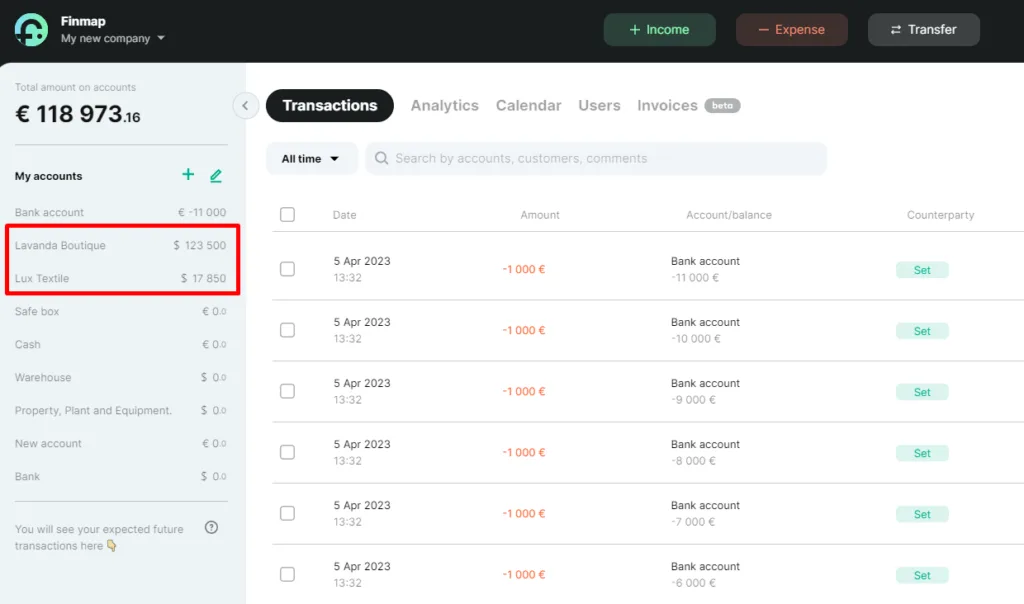
The company has 2 areas of activity: a natural cosmetics boutique Lavender Boutique and a textile store - Lux Textile. Accordingly, we create 2 accounts and 2 projects in the company with the appropriate names.
What we get as a result
📌 In the accounts sidebar, we can see the current account balances for the relevant business lines
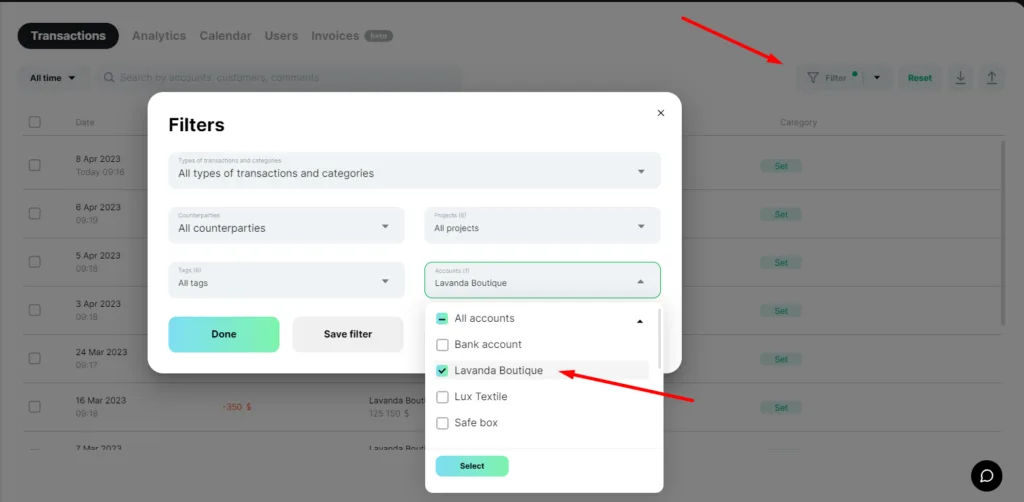
📌 In Payments, we can filter receipts and write-offs from any of the projects (or business lines) at any time, if necessary
To do this, in the advanced filters, select the desired project, for example, Lavender Boutique. And view the information we need.
📌 You can check the reports for both business lines as an entire report and each project separately
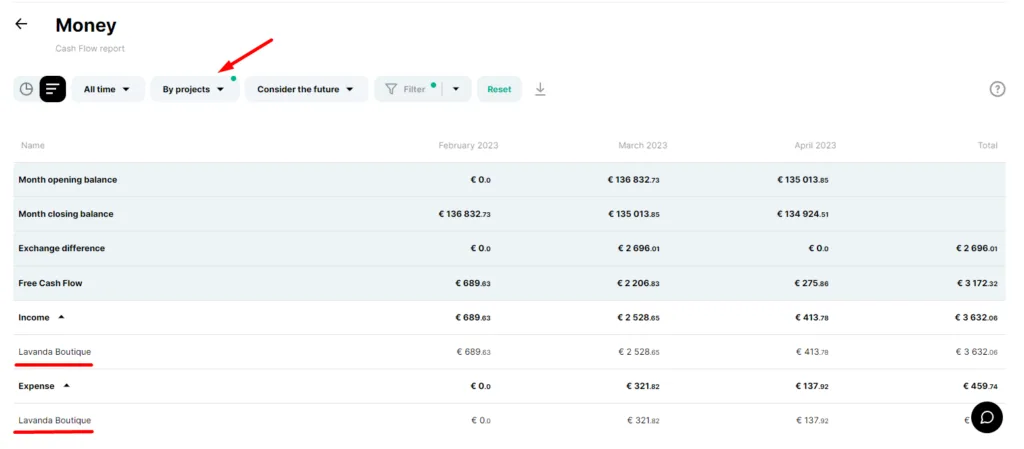
So, for example, go to Analytics, the Money report - and set the filter "By project".
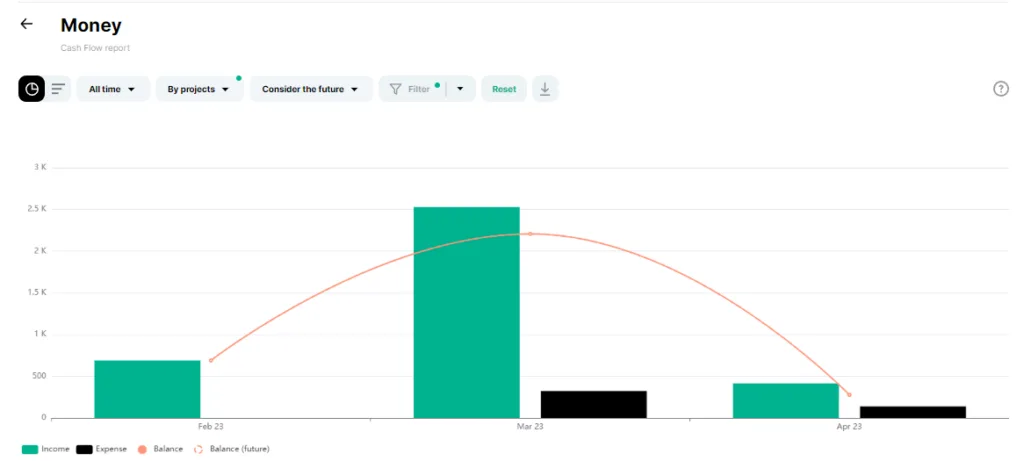
You can see all the information in colourful graphs and tabular form. In this report, we can see information about incomes and expenses for a particular project.
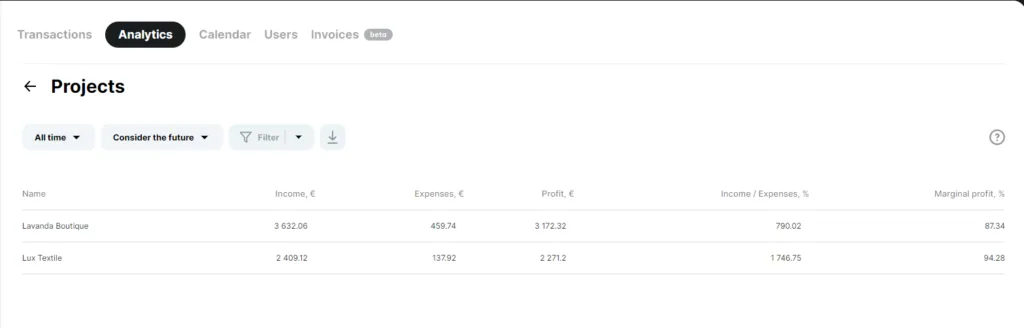
📌 There is a separate report for projects in Analytics
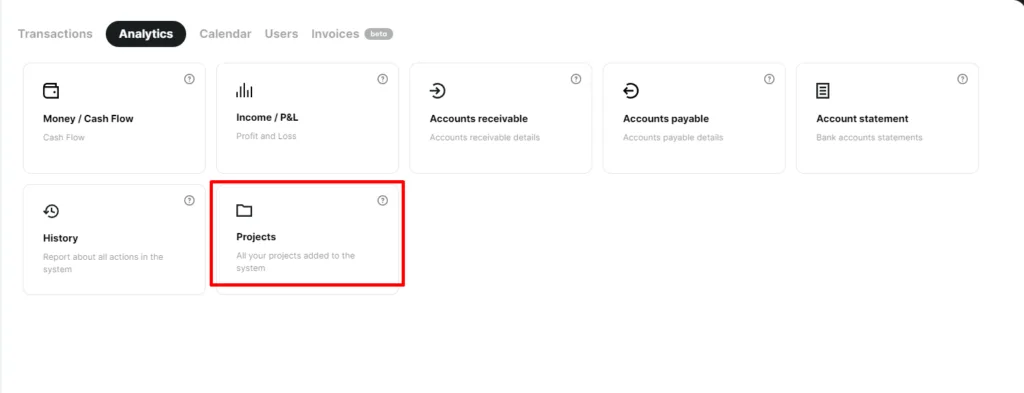
Here you can view all incomes, expenses, profit and profitability of your projects and business areas.