


Contents
How to quickly upload data to Finmap using AI
In Finmap, you can import data from files in popular formats — CSV, PDF, TXT, and Excel (XLSX, XLS), among others. Artificial intelligence is used to automatically recognize the structure of the document and transfer the data into the system.
Which AI models we use
- Main model — GPT-4
It is currently used for all imports and ensures stability and accuracy. - Experimental model — GPT-5 (new)
We are exploring its capabilities specifically for working with files. In the future, this will allow for even faster and more precise processing of complex documents.
Supported file formats
You can use the following text formats for import:
- CSV (.csv)
- PDF (.pdf)
- Excel (.xlsx, .xls)
- TXT (.txt)
⚠️ Important: please upload only files in text formats.
Other file types may not be recognized by the system and will display the message:
“Unable to process the file.”
How to perform the import
1. Prepare the file
Export the document from your bank or service.
Make sure it is in a text format and contains the necessary data.
2. Test company
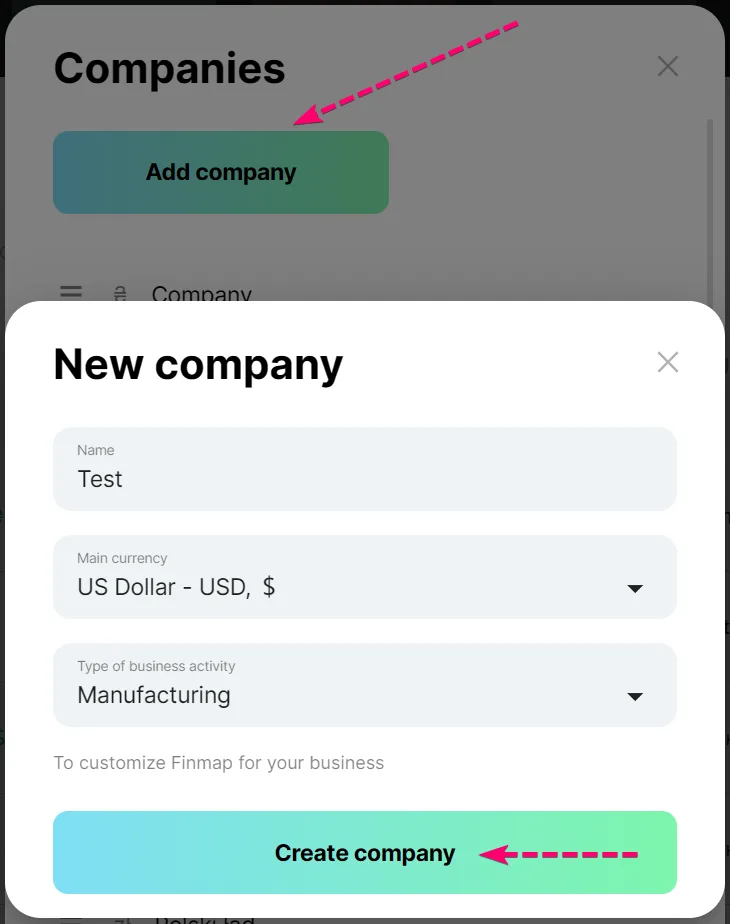
First, perform the import in a test company to check that the data is displayed correctly.
Create a draft test company — it will be available for free for 7 days. Learn more at the link 👈
3. Upload to Finmap
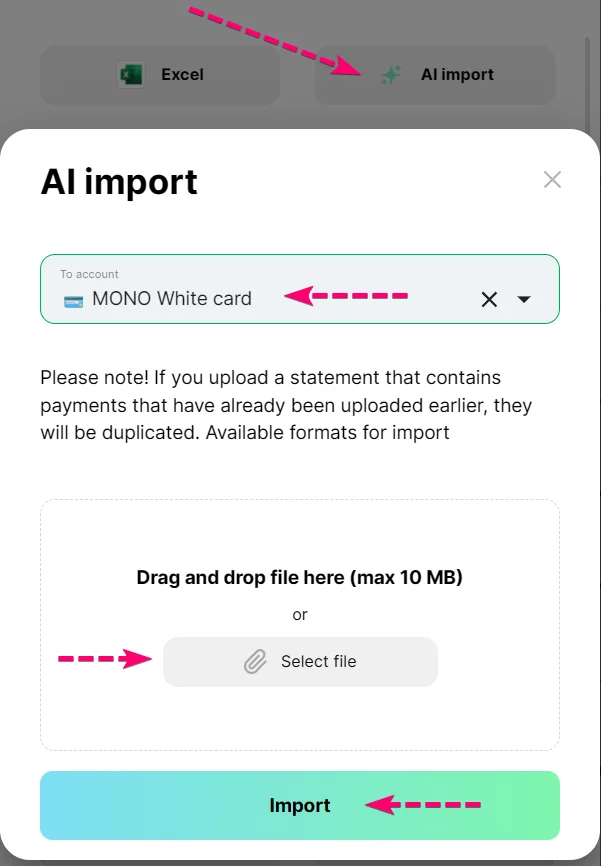
The system will automatically detect the file type and check its structure.
You can upload your file here: Link 👈
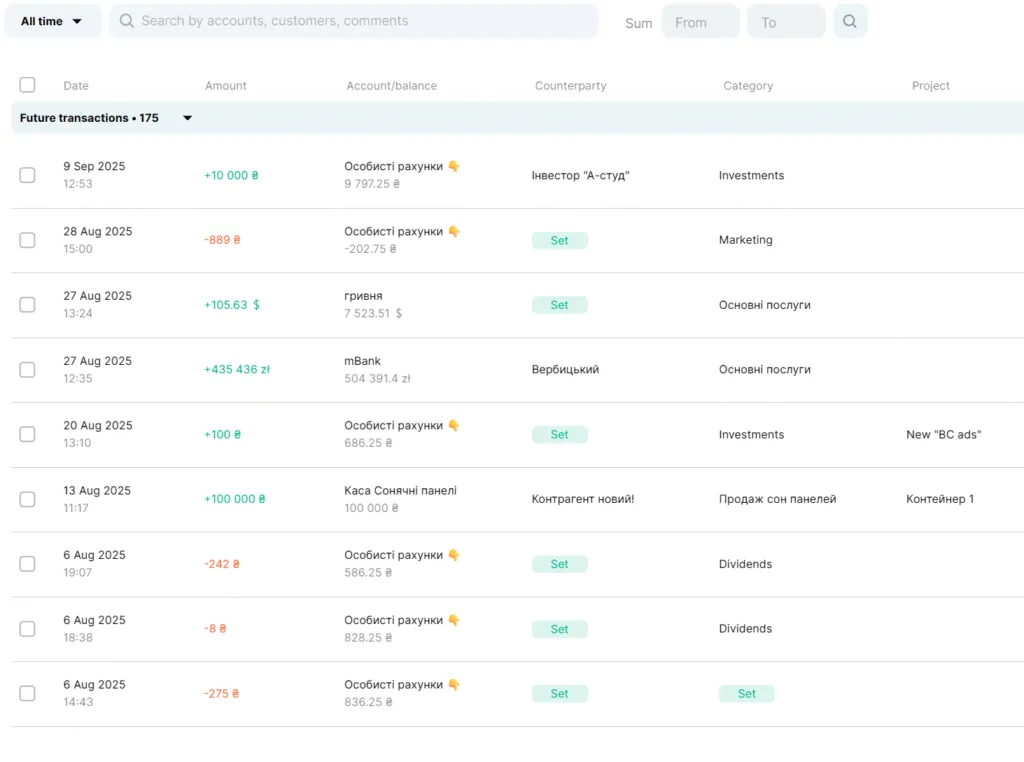
4. Check the import process
If everything meets your expectations — import the data into your main company.
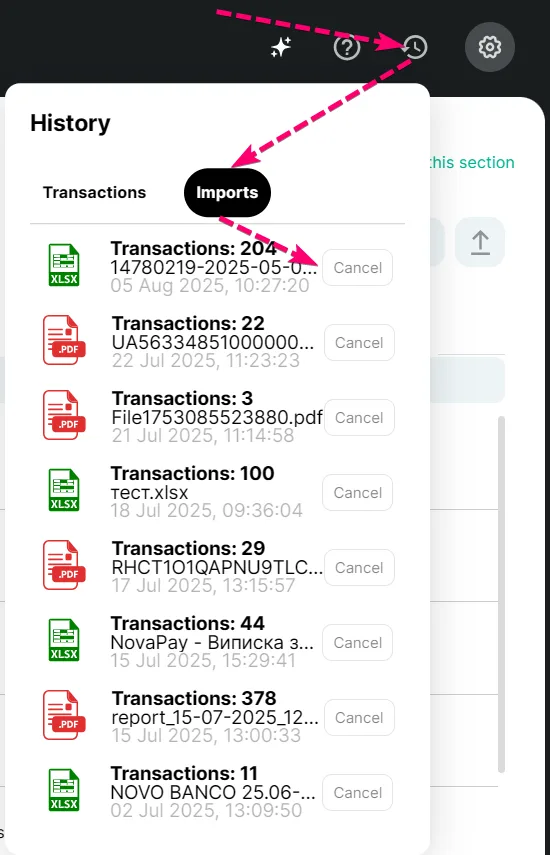
5. Import rollback
If you notice an error after the import, you can perform a “rollback,” and the data will return to its previous state.
After that, you can correct the file and repeat the import.
Warning❗
- AI processes files automatically but may reject a document if it doesn’t meet the required format or contains errors.
- Always review your data in the test company before uploading it to your main company.
- Use the “rollback” feature if the import was completed with errors — it’s a safe way to restore the system to its previous state.