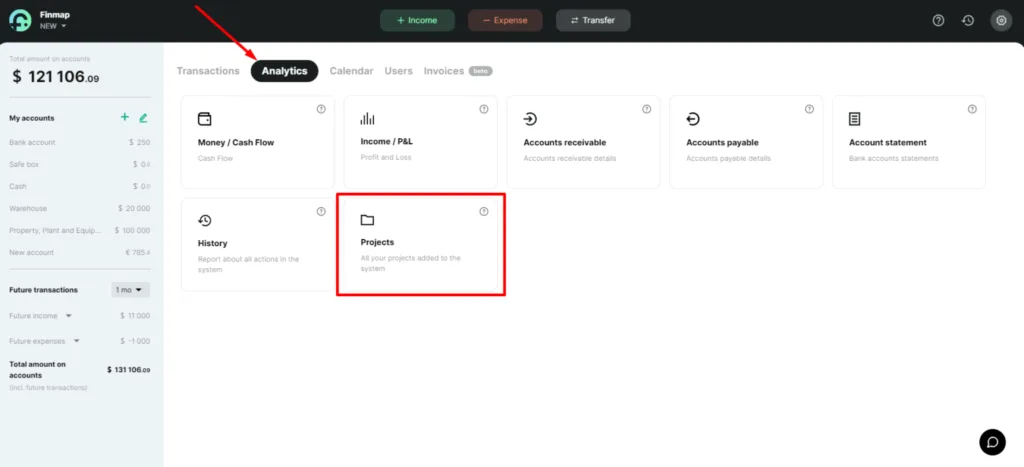
Projects report
The Projects report allows you to display several areas of your business or company branches in one company, as well as see the profitability of each project
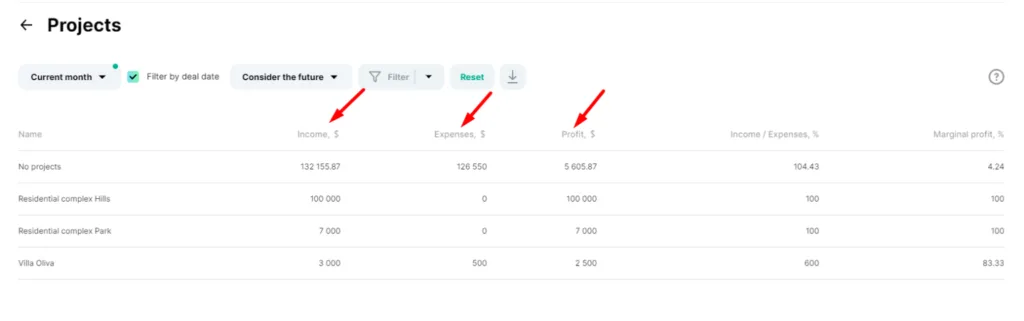
This report conveniently displays income, expenses and profit for each individual project
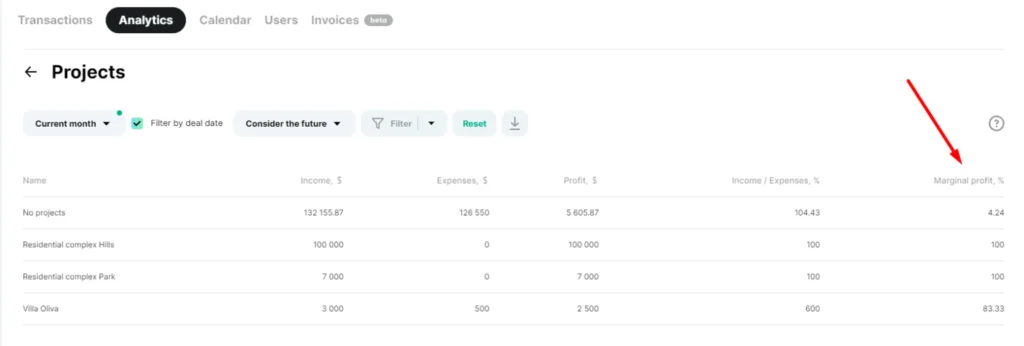
Separately, you can view the revenue to expense ratio and project profitability
The income to expense ratio column shows the percentage by which our income exceeds or covers our expenses
Profitability is the ratio of profit to turnover. It shows how efficiently your project works
Projects report is generated by the date or period of the transaction, which is specified in the payment
Therefore, if you choose to view the information for the previous month in the filters, you will see exactly those payments whose date or period of transaction was in the previous month
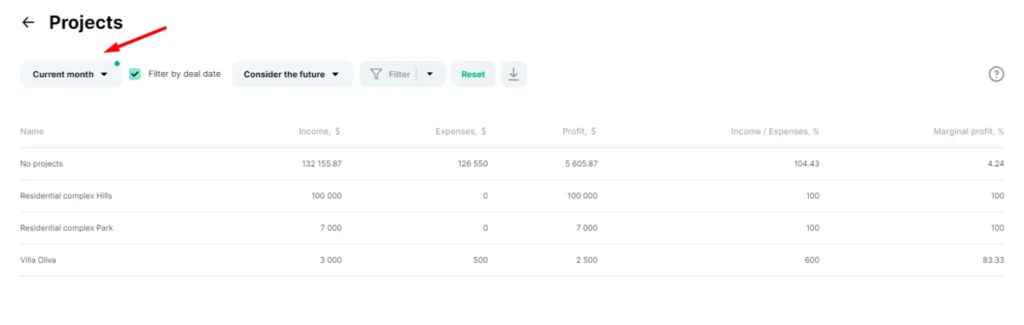
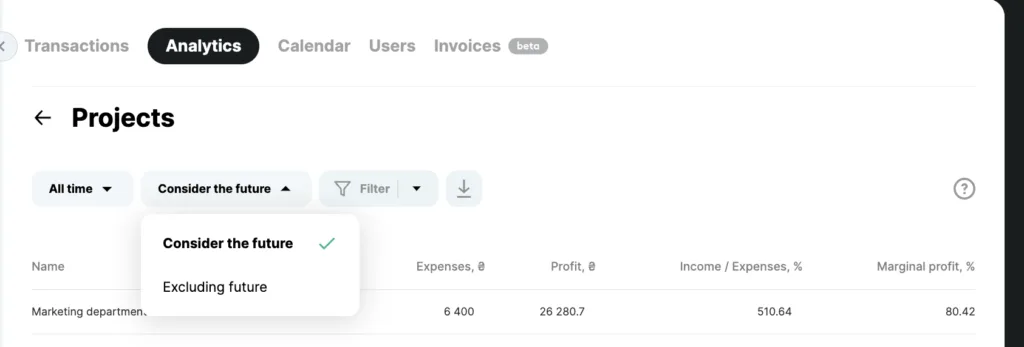
In the Projects report, you can filter and view information with or without planned transactions. And you can also use advanced filters to select the information you need and analyze the data
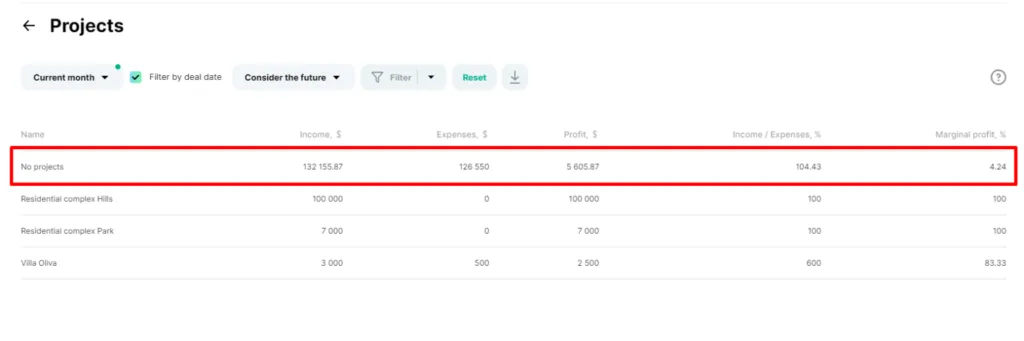
Also, the Projects report will include all payments that did not specify a project and that may relate to all projects at the same time. For example, these can be administrative expenses. These payments will be displayed under the name "No projects"