


Contents
📥 How to integrate your bank statement into Finmap
Unfortunately, not all banks have the ability to automatically synchronize data, so the Finmap team has developed a manual integration (import of statements) functionality for most of them. This allows you to quickly add transactions to the service so that you do not have to enter them manually,
To import information
1. Prepare your bank statement
Log in to your online banking.
Download the statement for the required period in .xls, .xlsx, .csv, or .pdf format.

2. Go to the “Import” section
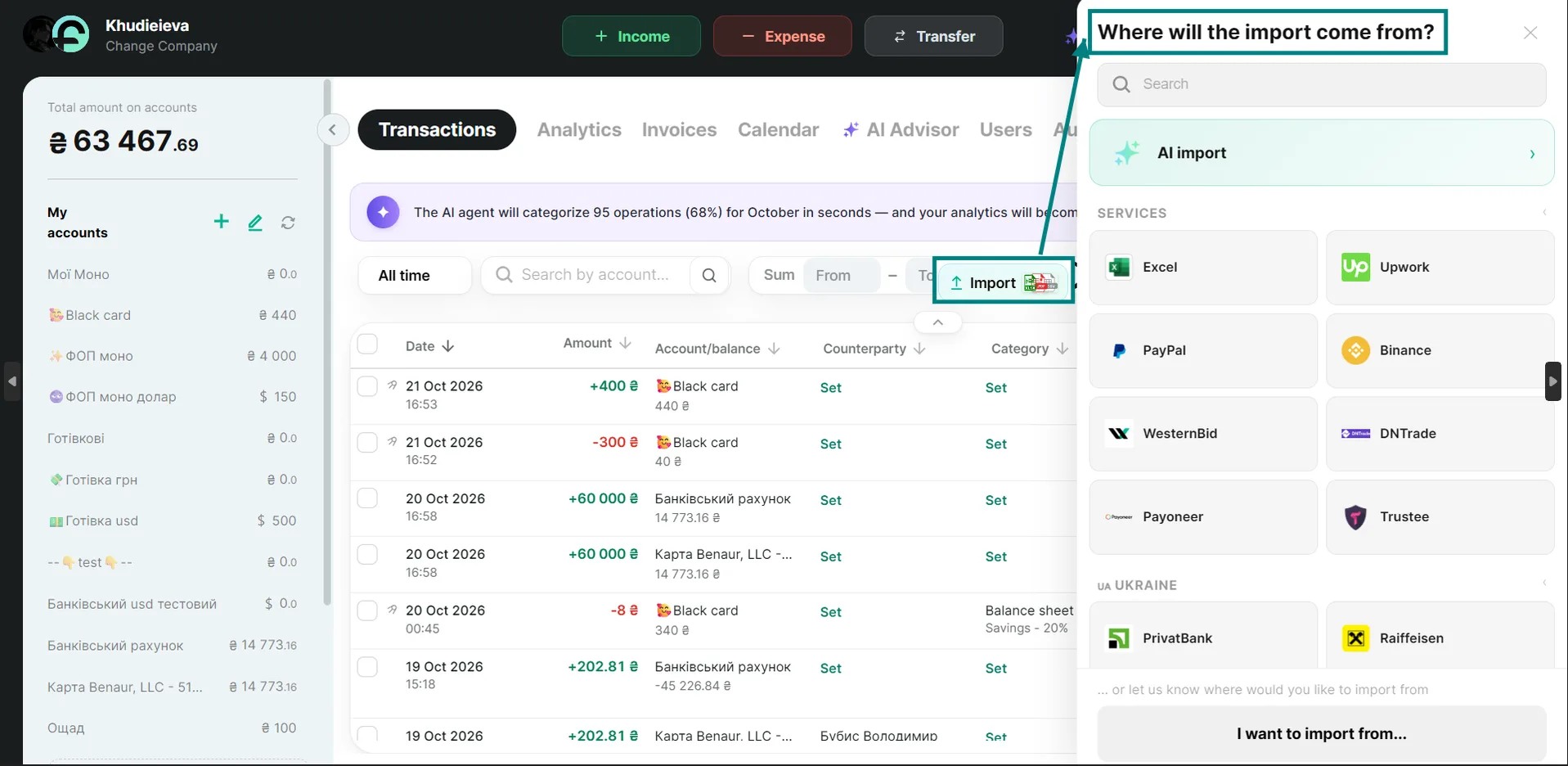
Click the “Import” button above the list of transactions. In the window that opens, select your bank or service. For convenience, all banks are grouped by country.
💡 Tip: not sure whether your bank is on the list? Use the search bar at the top of the window — just start typing your bank’s name.
3. Upload your statement
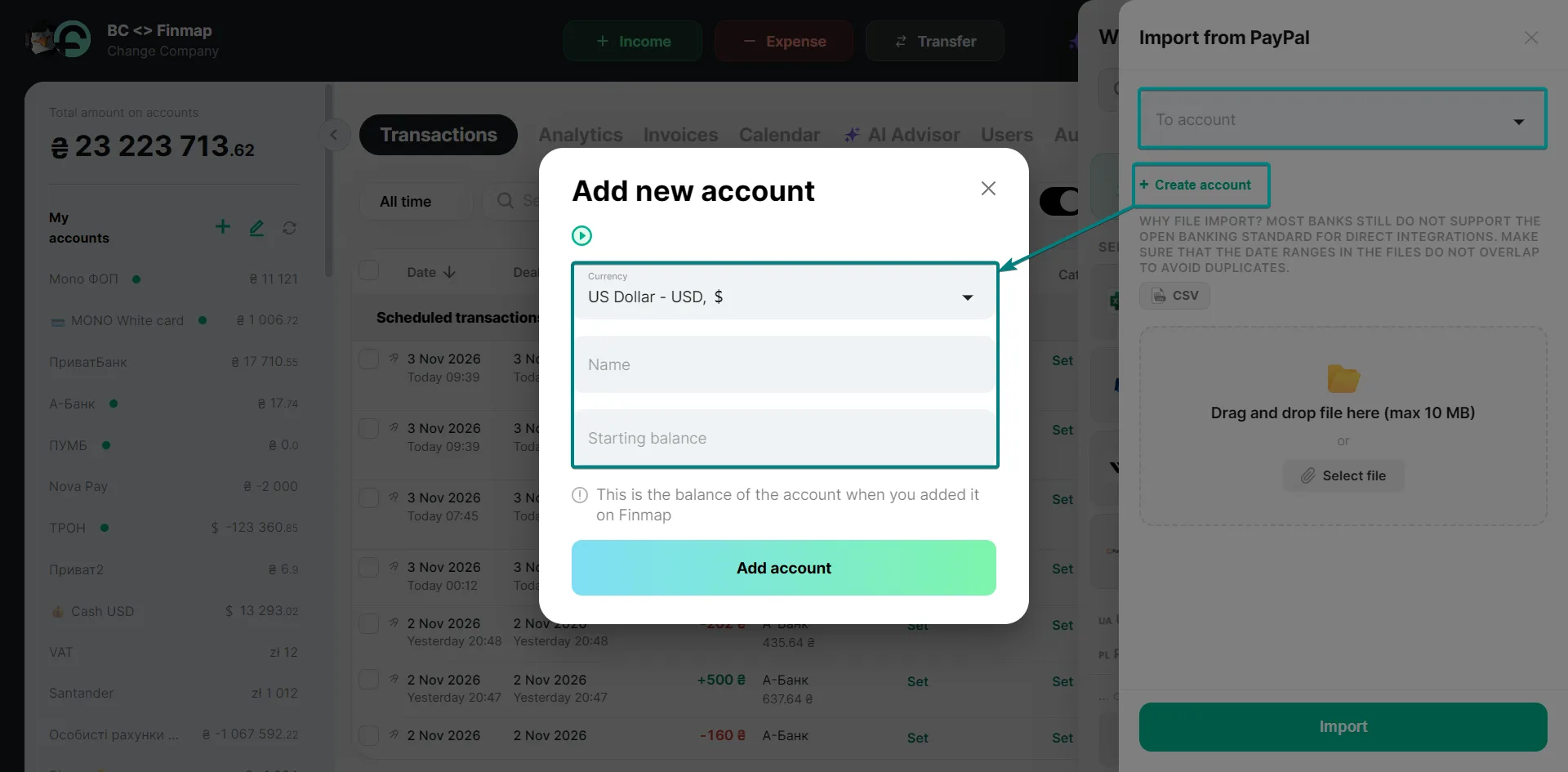
Choose the account you want to import data to, add the prepared statement, and click “Import”.
💡 If the account you need to upload the statement to doesn’t exist in your company yet, you can create it right here: click “+ Create account” below the account field. Choose the currency carefully — it can’t be changed after the account is created.
4. Check the results
Make sure all transactions are displayed correctly.
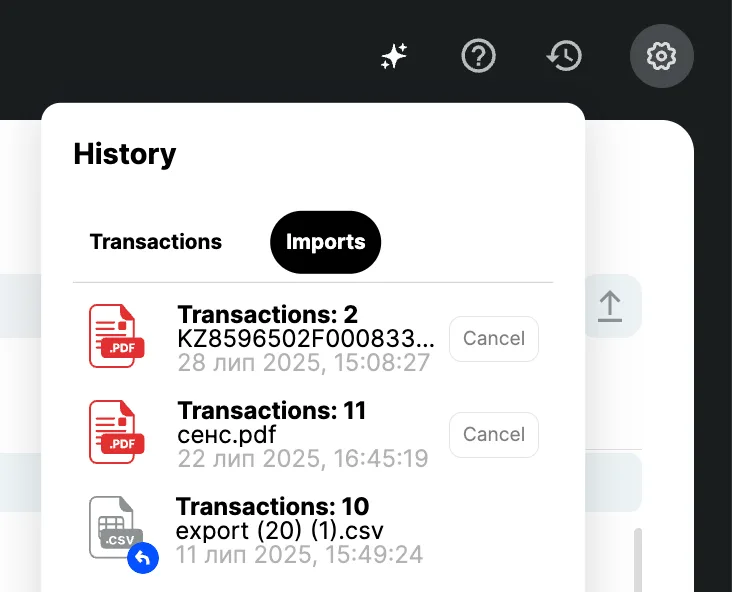
You can always undo the import in the “Action history” window.
5. If the file doesn’t upload
- Write to the support chat inside the service.
- Attach the bank statement file — our team will check it and provide recommendations.
- Keep in mind that banks may occasionally change the file format, which can affect the upload process.
💡 Additional
Can’t find your bank in the list of Finmap integrations? No worries — try the AI Import feature.
This tool automatically processes documents and imports data in any format directly into your Finmap account. No need to adjust to templates — the AI adapts to your file and saves you time.
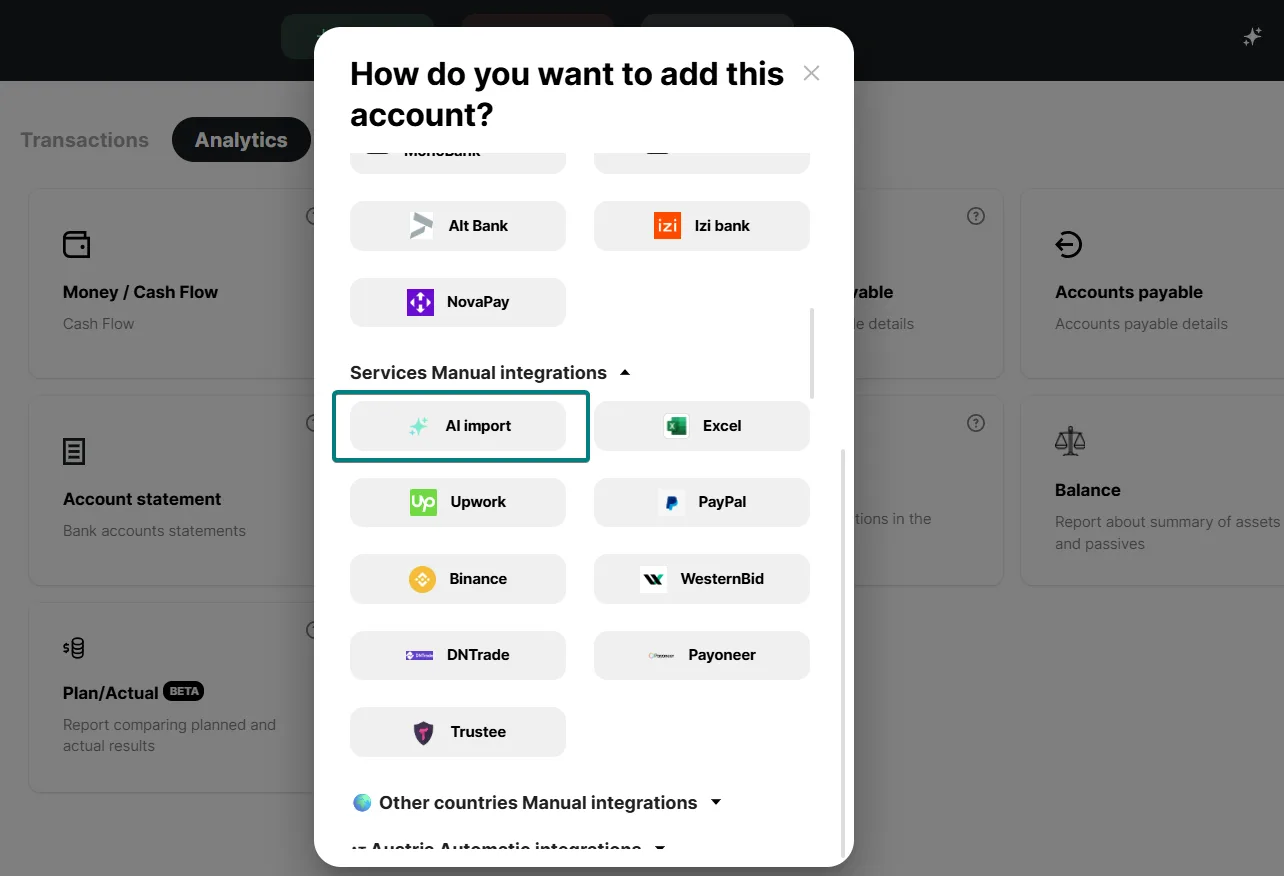
You can also use Finmap’s universal Excel template and import your data by filling out the file according to the template structure.