


Contents
Integrating Rozetka with Finmap via Apix-Drive
How to connect Rozetka to Finmap via Apix-Drive: a step-by-step guide to automating sales tracking from the marketplace.
What is Apix-Drive
Apix-Drive is a no-code automation platform that lets you transfer data between different services without programming.
For the integration with Finmap it works like this:
Rozetka → Apix-Drive → Finmap
Apix-Drive tracks new events in the Rozetka seller account and automatically creates the corresponding financial operations in Finmap.
How the integration works
To set up the integration you need to:
Choose Rozetka as the source system.
Choose the event that will start the automation.
Log in to the Rozetka seller account.
Connect Finmap.
Map the fields.
Launch the integration.
After that, new events will be sent to Finmap automatically.
Step 1. Create a new connection
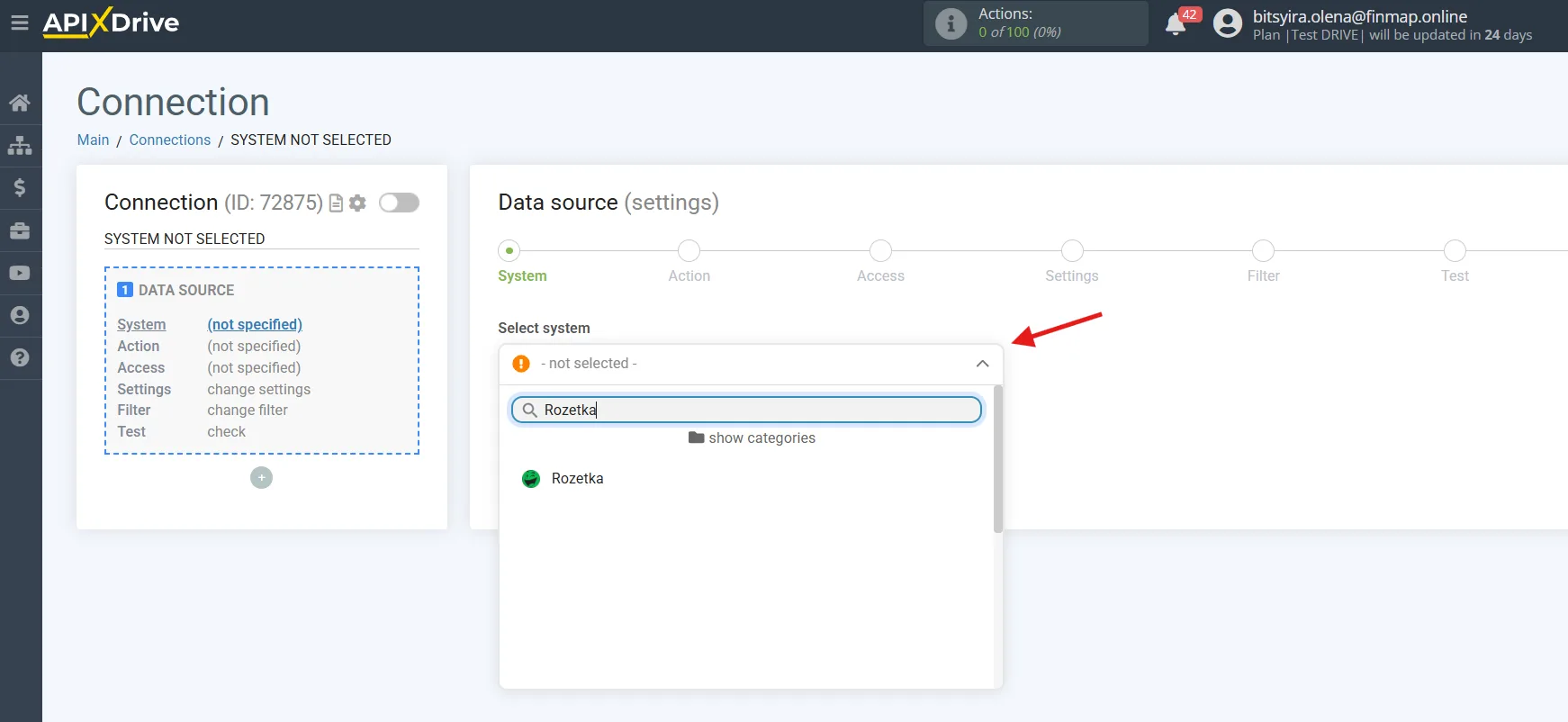
In your Apix-Drive account, create a new Connection.
As the source system, choose:
Rozetka
Step 2. Choose the trigger
Rozetka supports several events.
Get BALANCE
Lets you retrieve information about the seller balance in Rozetka.
This trigger can be used for informational scenarios or monitoring, but it is usually not used to create financial operations in Finmap automatically.
Get MESSAGES
Fires when new messages appear in the seller account.
Used to automate communication and customer support; not used for financial accounting.
Get ORDERS (new)
Fires after a new order appears.
This is one of the main triggers of the integration.
Used to create financial operations automatically once a new order is placed.
Get ORDERS by stage (new)
Fires after an order moves to a certain status.
For example:
Confirmed;
Shipped;
Completed;
Paid.
This is the most recommended trigger for the integration with Finmap, since it lets you create financial operations only once the required business event has occurred.
Step 3. Connect your Rozetka account
Log in to your Rozetka seller account and grant Apix-Drive the necessary permissions.
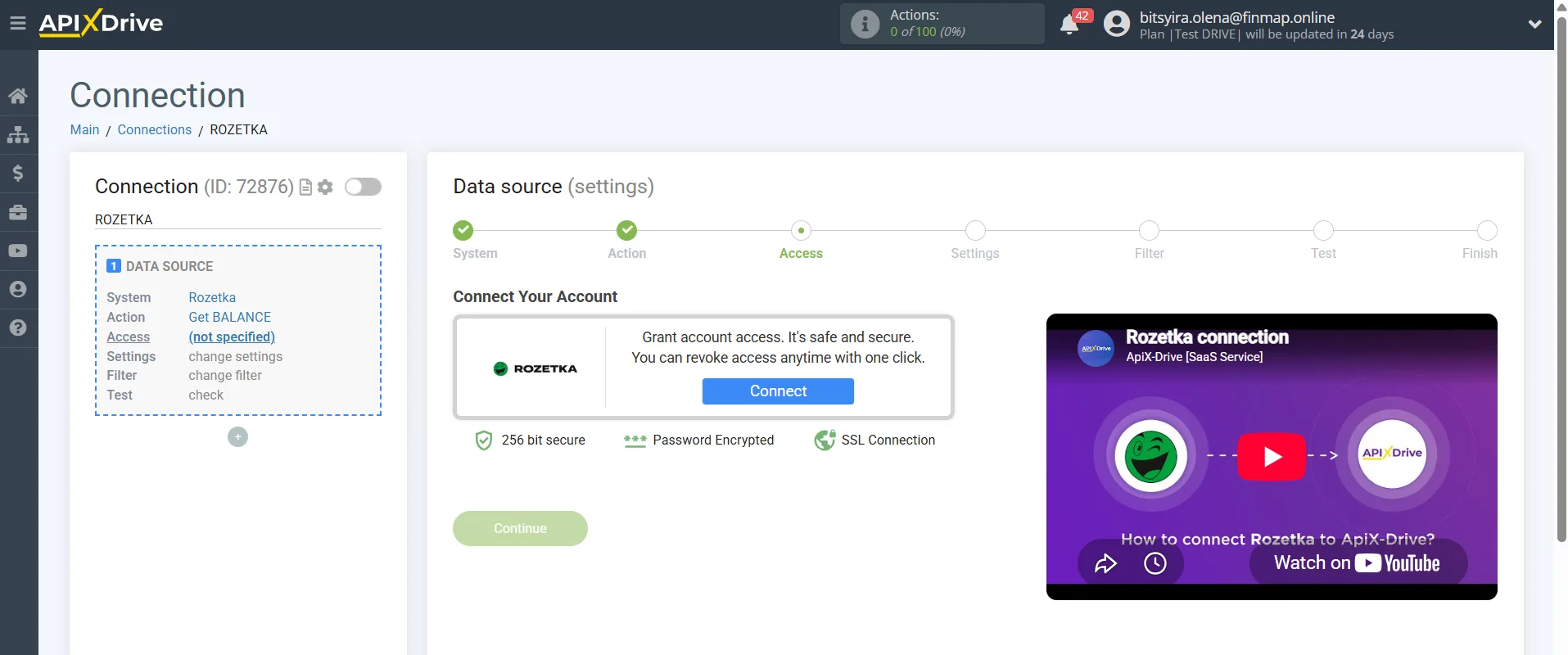
Rozetka API: https://api-seller.rozetka.com.ua/apidoc/
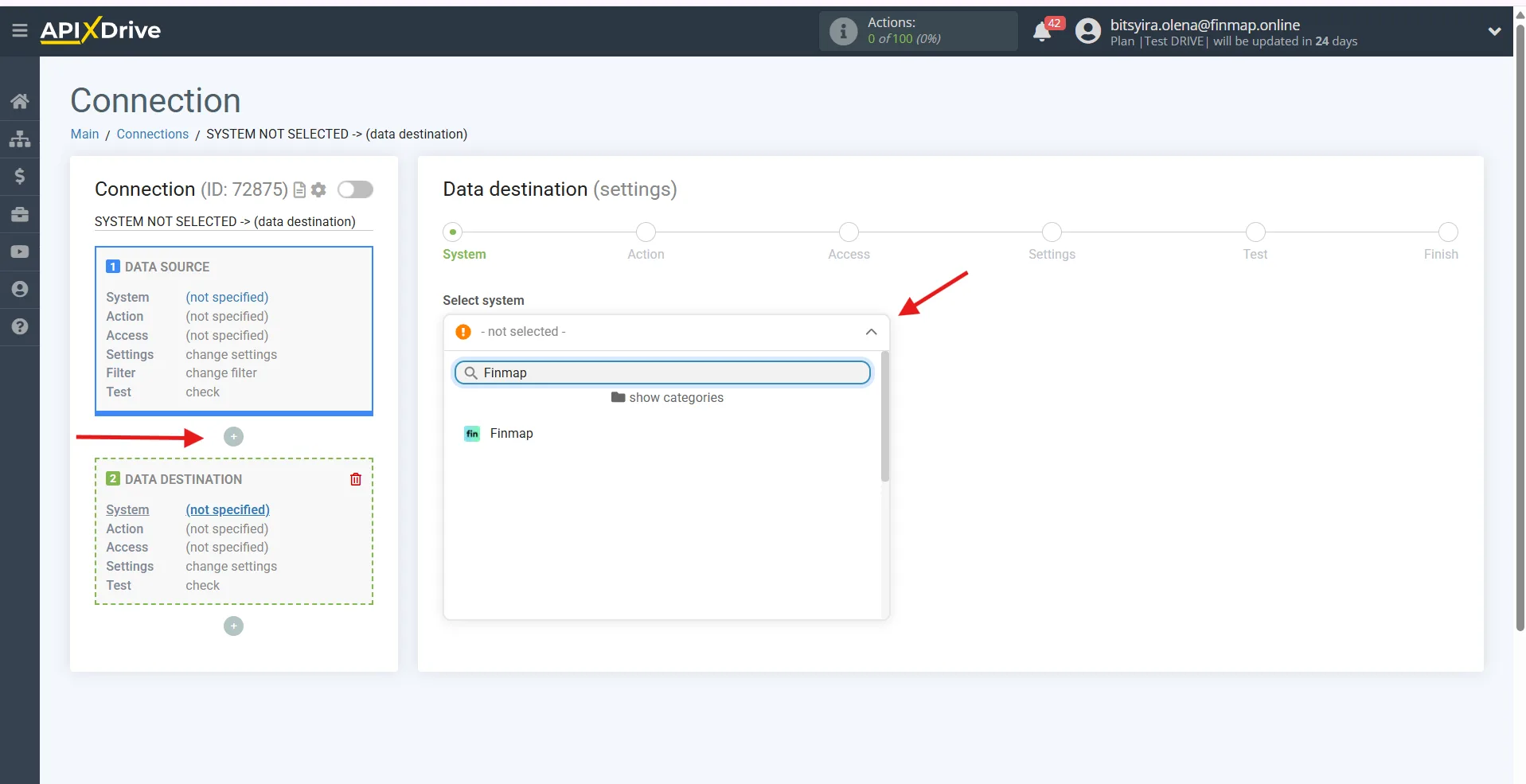
Step 4. Choose the destination system
As the destination system, choose:
Finmap
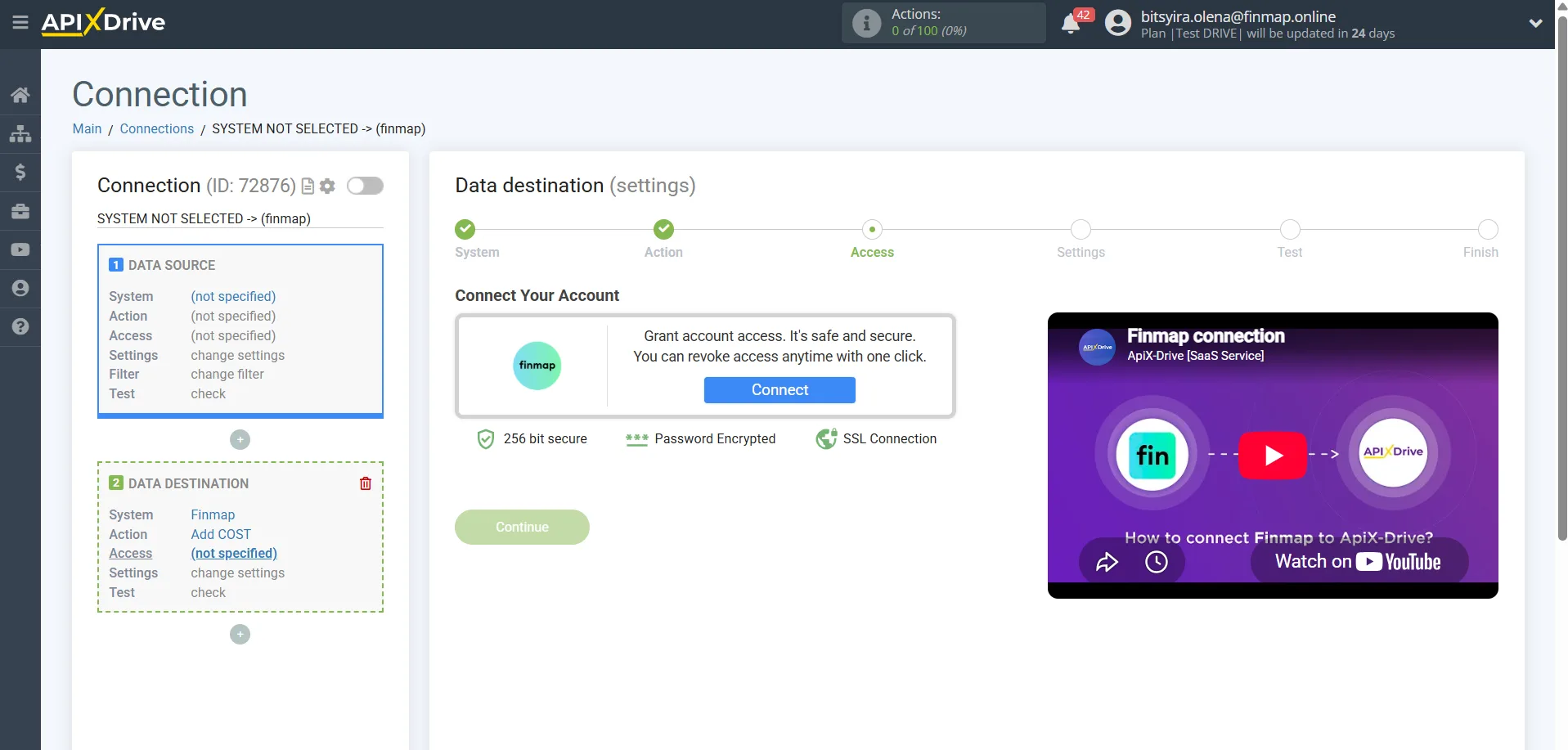
You can generate the Finmap API key here: https://my.finmap.online/settings/api
Step 5. Choose the action in Finmap
Currently three types of operations can be created through Apix-Drive.
Add RECEIPT
Creating income.
The main integration scenario.
Used for:
revenue from orders;
buyer payments;
automatic tracking of Rozetka sales.
Add COST
Creating an expense.
Can be used to track the following automatically:
the marketplace fee;
delivery;
other expenses, if they are available in the integration data.
Add TRANSFER
Creating a transfer between the company accounts.
Practically not used for the integration with Rozetka.
Step 6. Map the fields
Pass the required data to Finmap:
order amount;
currency;
date;
order number;
buyer;
comment;
project;
account.
After that, run a test data transfer.
Step 7. Launch the integration
If the test succeeded, turn the automation on.
After that, all new events will create financial operations in Finmap automatically.
Recommended integration scenarios
1. New order → Planned income ⭐⭐⭐⭐⭐
Trigger
Get ORDERS (new)
Action
Add RECEIPT
Suitable for companies that want to see expected income as soon as an order is placed on the marketplace.
2. Order moved to the «Paid» or «Completed» status → Actual income ⭐⭐⭐⭐⭐
Trigger
Get ORDERS by stage (new)
For example:
Paid;
Completed;
Successfully closed.
Action
Add RECEIPT
This is the best scenario for most Rozetka sellers, since only the orders that have already been paid for or completed reach Finmap.
3. Automatic tracking of the marketplace fee ⭐⭐⭐☆☆
Trigger
Get ORDERS by stage (new)
Action
Add COST
If the Rozetka data contains information about the fee or other deductions, they can be shown in Finmap as expenses automatically.
4. Marketplace revenue control ⭐⭐⭐⭐⭐
Trigger
Get ORDERS by stage (new)
Action
Add RECEIPT
Lets you keep financial records of Rozetka sales automatically, without entering every order manually.
What to pay attention to
If you need to keep track of expected income, use Get ORDERS (new). This will let you see potential Cash Flow before the payment actually arrives.
For most businesses we recommend using Get ORDERS by stage (new) with a status that means the sale is complete or the money has been received (for example, «Paid» or «Completed»). This approach keeps cancelled or unpaid orders out of Finmap.
If Rozetka passes information about the marketplace fee or other deductions, it makes sense to record them automatically as separate expenses for a more accurate profit calculation.
To avoid duplication, we recommend passing a unique order number (Order ID) to Finmap. This will make sure operations are matched correctly between Rozetka and Finmap and make later synchronization easier.