


Contents
Money Report
The Money report (Cash Flow) is a report on the movement of funds. It shows how much money physically came into your accounts and how much of it was spent. Cash Flow does not show profit, only the physical turnover of funds. In Finmap, the report is built by the date specified in the income or expense payment.
To open the report, go to Analytics → Money.

Viewing the Cash Flow report
You can view the report in both chart and table formats. In both formats, the following settings are available above the report:
Period — date filter (for example, “For the current year”).
Grouping — filter by categories, projects or counterparties (for example, “By categories”).
“Consider the future” — switches the data with or without planned operations.
“Hide percentages” — lets you hide percentages in the report (in the tabular version of the report).
Breakdown (for example, “By months”) — defines the intervals the data is shown by (month/quarter).
“Filter” — advanced filter by entities in the service and saved filters.
Download — downloads the report data to your device.
Refresh — refreshes the data in the report.

Table view of the report
The table format contains data that is generated only in the Money report, namely:
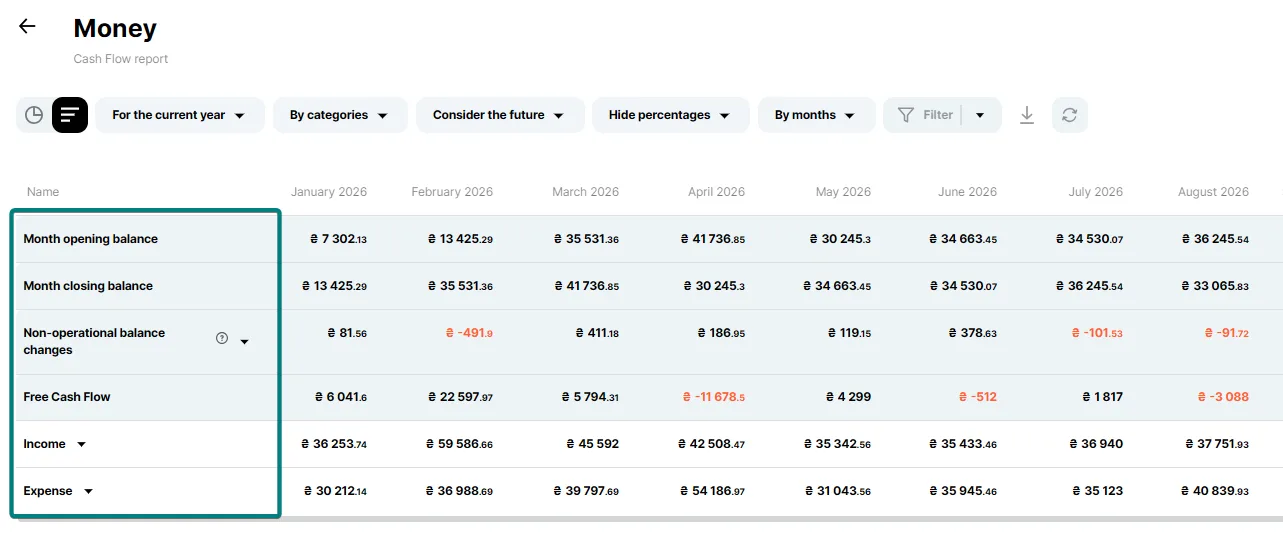
1. Month opening and closing balance
The month closing balance is calculated by the formula: month opening balance + free cash flow + non-operational balance changes = month closing balance.
The opening balance of each next month equals the closing balance of the previous one.
You can filter and view information about the opening and closing balances for the period by individual accounts by setting the corresponding account filter.
2. Non-operational balance changes
These are changes in balances that do not constitute company income or expenses (such as opening account balances or exchange rate differences). Most often, these involve exchange rate fluctuations—specifically, the revaluation of cash holdings. When the currency of certain accounts differs from the company's base currency, exchange rate differences arise due to rate fluctuations. In other words, the same account balance amount translates to a specific figure in the company's base currency at the start of the month, but may result in a different figure by the end of the month due to exchange rate changes.
Hover over the hint icon next to the row name to see the explanation, and expand the row to see the components. Read more in the instruction “Exchange rate difference in Finmap”.
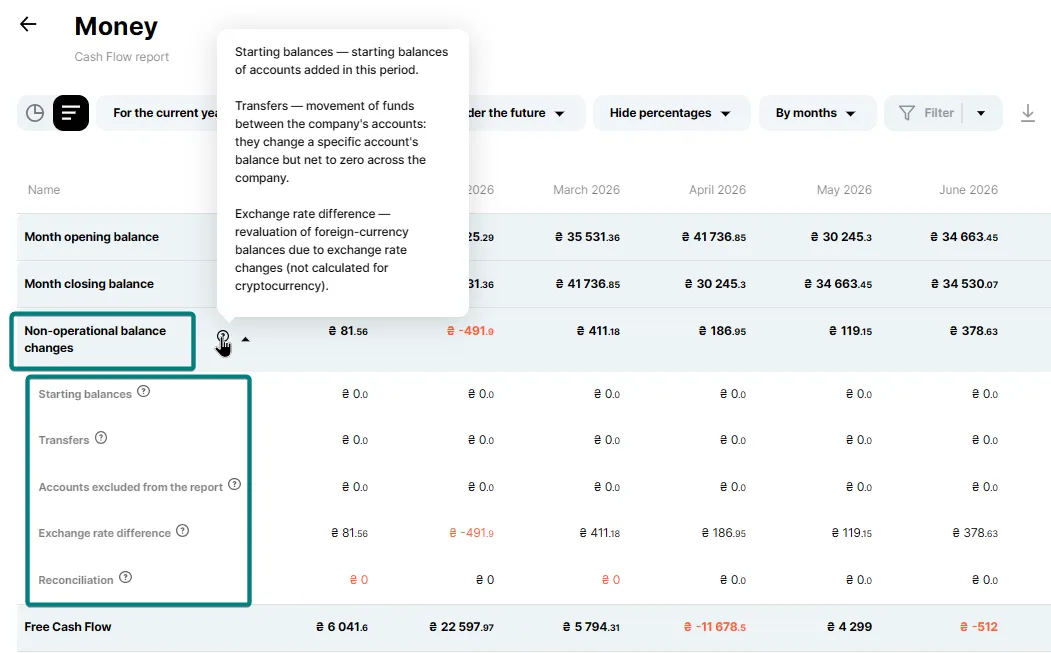
You can find more details about the calculation of exchange rate differences in the instructions.
3. Free Cash Flow
This is the difference between income and expenses (balance). It shows how much more or less money your company or a specific account has. Negative values are highlighted in red.
If you specified your own exchange rates in income or expense payments, they will be taken into account in Free Cash Flow, while the recalculation at the NBU rate will appear in the month opening and closing balance figures.
4. Income and Expense
These rows show all income and expenses for the month. Expand a row to see them by category (or by another selected grouping).
Chart view of the report
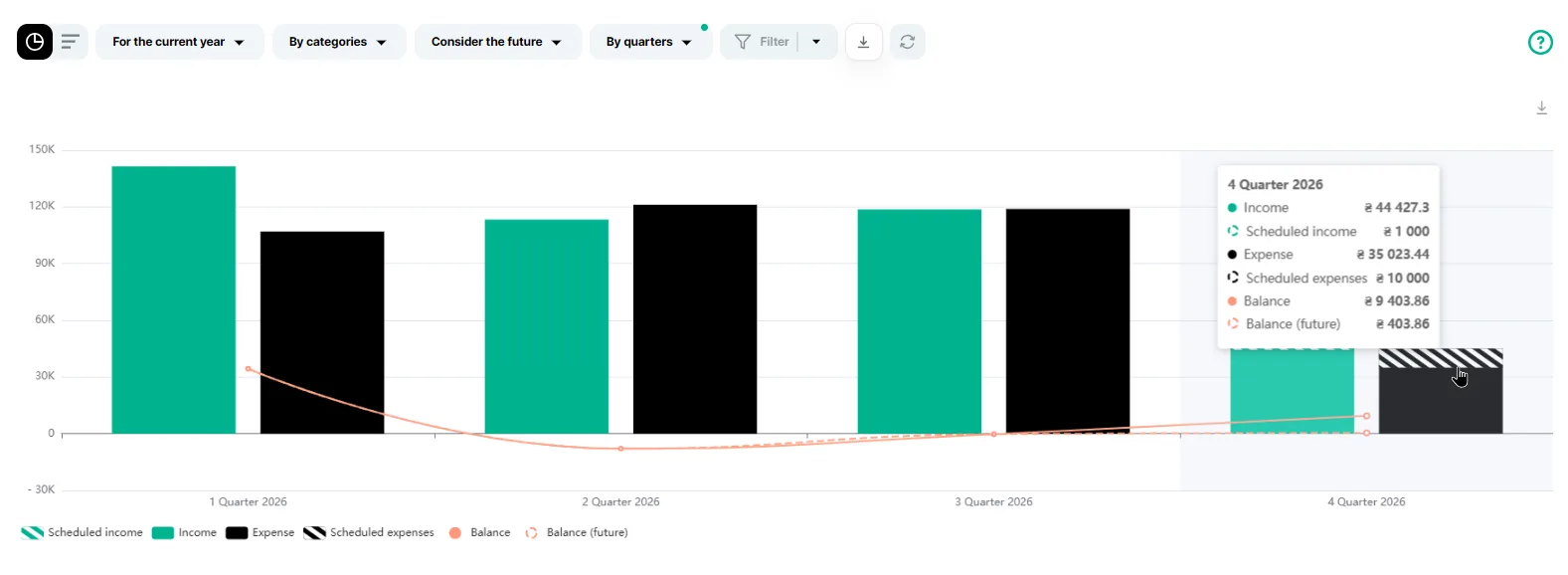
The charts show summary information about income, expenses and balance. The buttons under the chart are clickable: you can choose the information to display. Hover over a column to see the amounts for the month, including future (planned) income, expenses and balance.
Pie charts
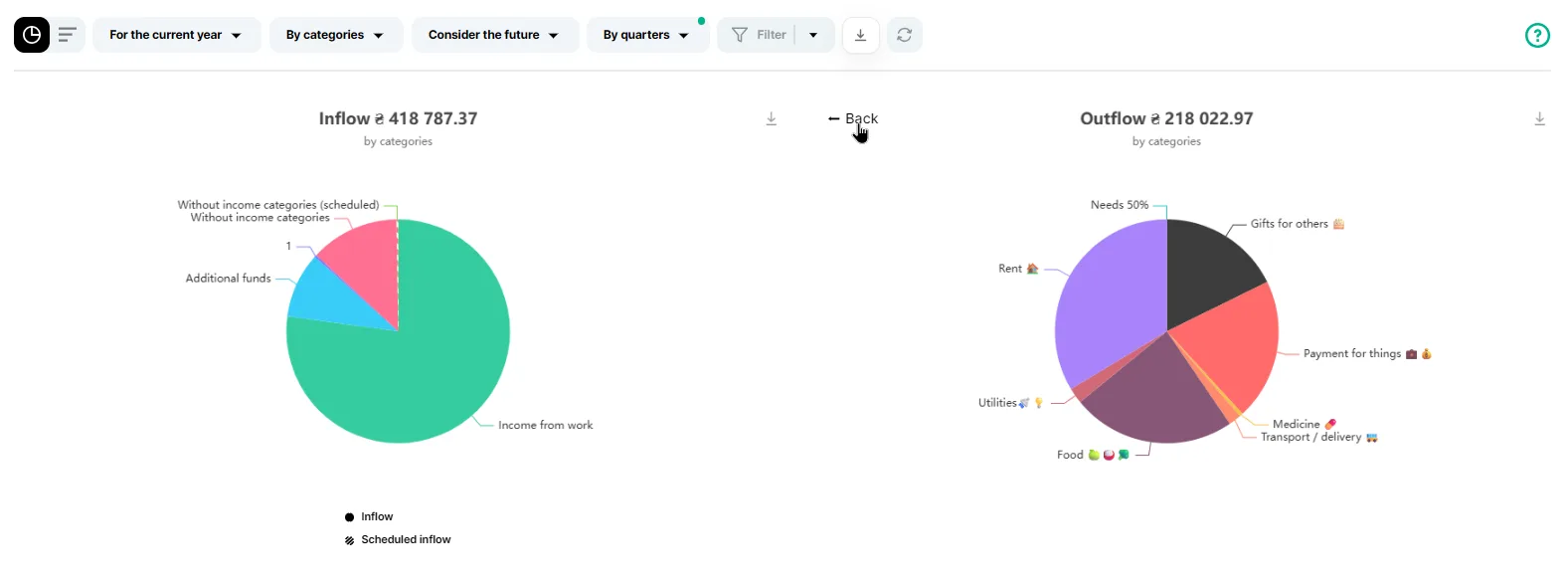
Pie charts show analytics by categories, projects or counterparties.
When you click a block with the category you need, the service shows which subcategories it consists of. By clicking an individual segment, you can view information about a specific entity and then go back.
Income and expense charts by category
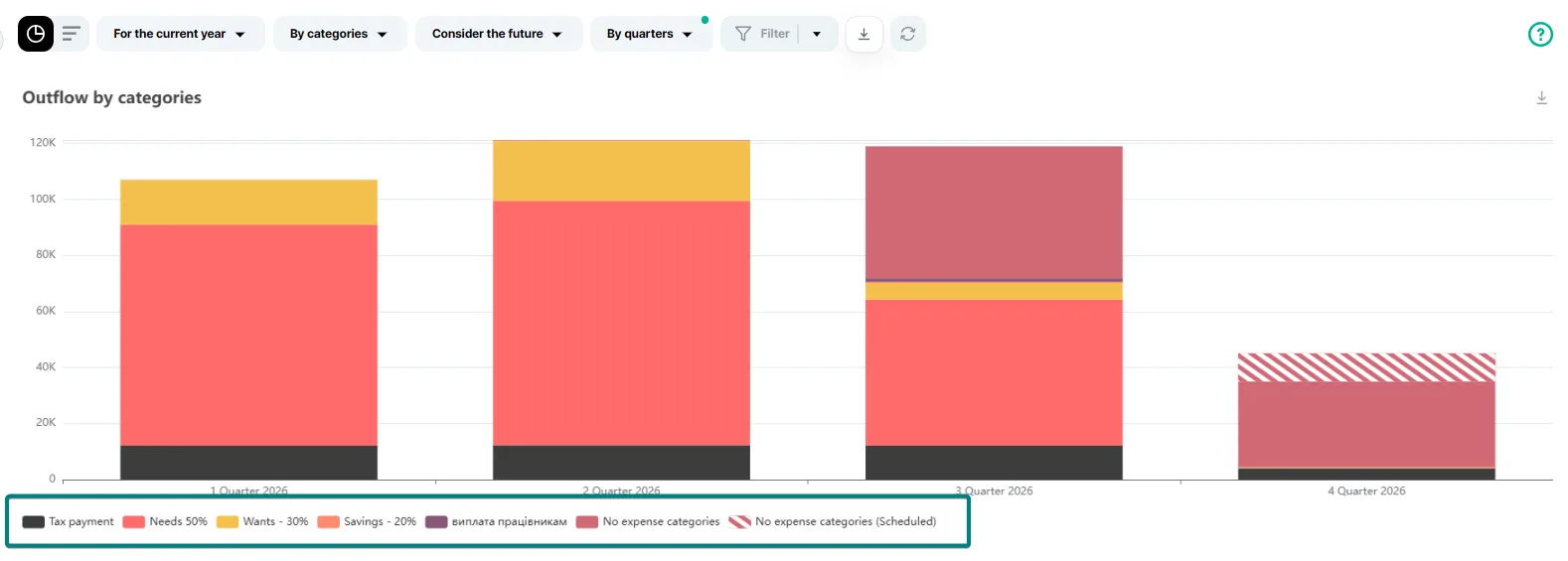
On this chart you can click the columns to see in more detail the operations that make up the total amount. You can also turn the information you need on or off with the clickable buttons under the chart.
More about how the report is built
It is worth noting that the "Cash" report includes certain system categories that do not appear in the "Profit" report.
These income categories are "Loan Repayment Received" and "Loan/Credit Received." The corresponding expense categories are "VAT," "Loan Issued," and "Loan/Credit Repayment."
In reality, the categories mentioned above represent mere cash flow and do not affect your company's profit. After all, a loan received must be repaid, and a loan issued will be returned to you.