


Contents
How to combine Income and Expense in a Transfer?
Companies often face situations where funds are transferred from one account to another. If the accounts are integrated into the Finmap service, we see such a transfer as one actual expense transaction and a second income transaction:
🔹 Combining 2 operations into a Transfer
Companies often face situations where funds are transferred from one account to another. If the accounts are integrated into the Finmap service, we see such a transfer as one actual expense transaction and a second income transaction:
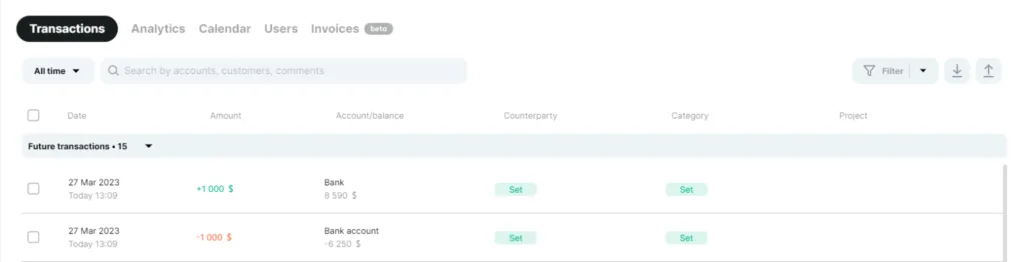
In this form, transactions affect analytics by increasing the amount of income and expenses on accounts
To indicate that these transactions are transfers:
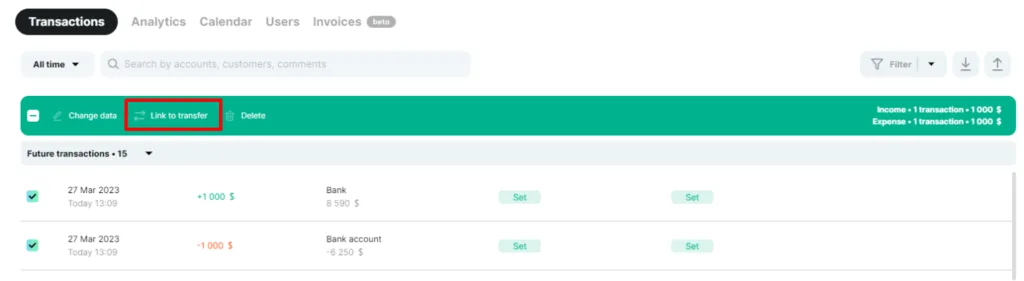
1. Select 2 operations with check marks
2. Click "Combine to transfer"
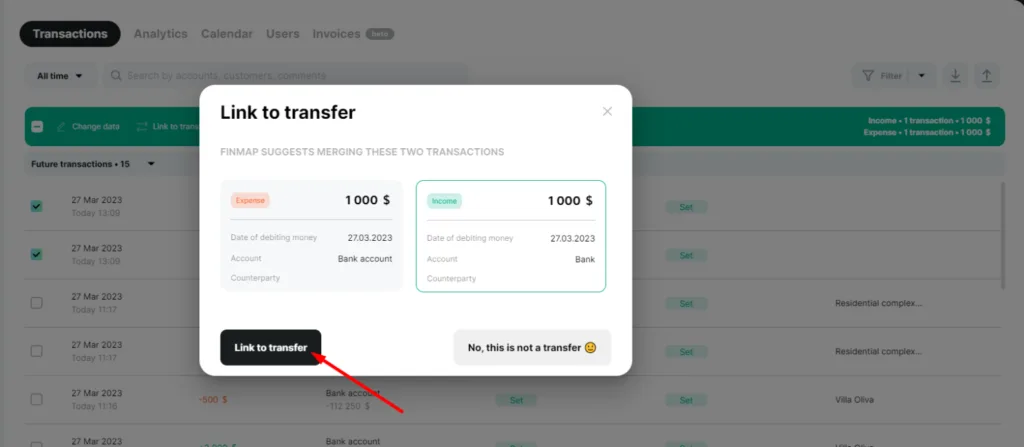
3. Verify transaction amounts and accounts and confirm the merger
🔹 Reformatting payment of expense or income to Transfer
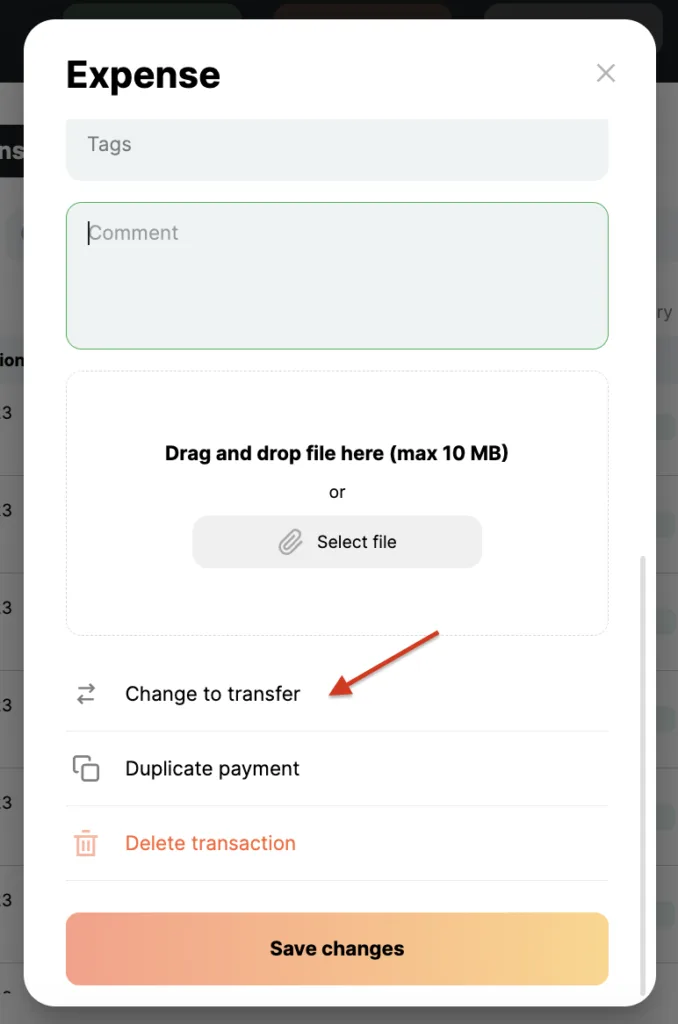
If only one account is integrated in the company, then one expense or income transaction is automatically included in the service when transferring. Depending on whether it was a transfer to or from a card.
You can open this payment (income or expense) and reformat it into a Transfer
🔹 Transfers in Analytics
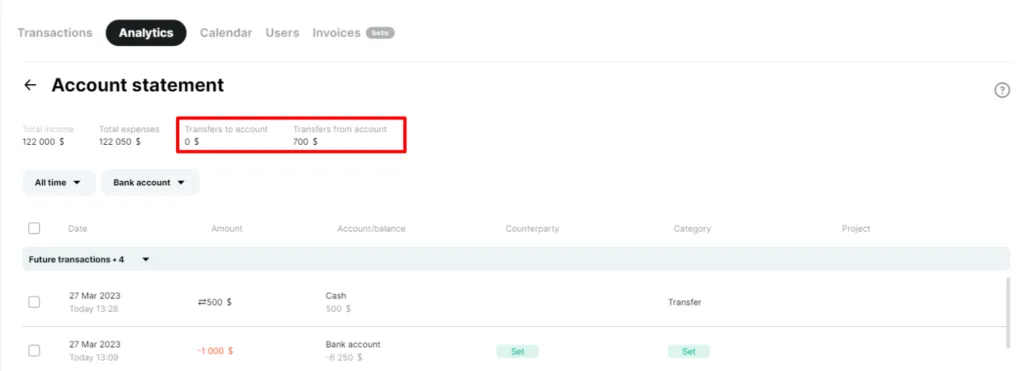
Transfer transactions are not included in the Money and Profit reports, but if you need to view information on transfers, it is available in the Account Statement report:
🔹 Cancel combining transactions into a Transfer via Action History
If you have combined 2 transactions into a Transfer, but this action was a mistake, you can undo the last action through the Action history report
This report will contain 3 separate action records:
1. Auto delete income
2. Auto delete expense
3. Create transfer
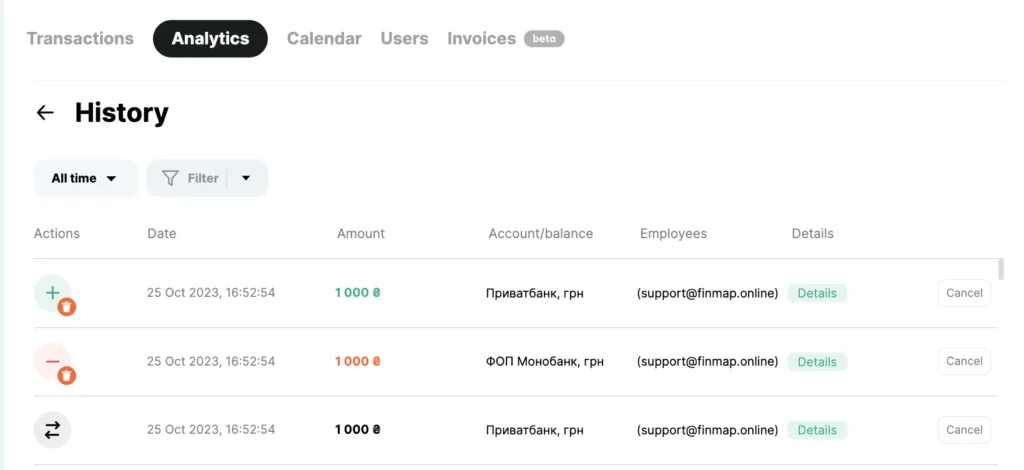
To return the entire cycle of actions, you need to click the "cancel" button next to each entry
This will help:
1. cancel combining to Transfer
2. cancel deleting income
3. cancel deleting expenses